
$38,877.59
Earlier this month, a federal judge in New York ordered a lawyer to pay $38,877.59 in legal fees to the lawyer for another defendant in the same trademark case. Back in February, the judge had already ended the case against his client, after his filings cited at least 13 cases that don’t exist and put quotes into eight real cases that never said those words. He told the court he had used AI research tools and admitted he never finished checking the citations before he filed. And it was a lawyer for another party, not anyone on his side, who found the errors.
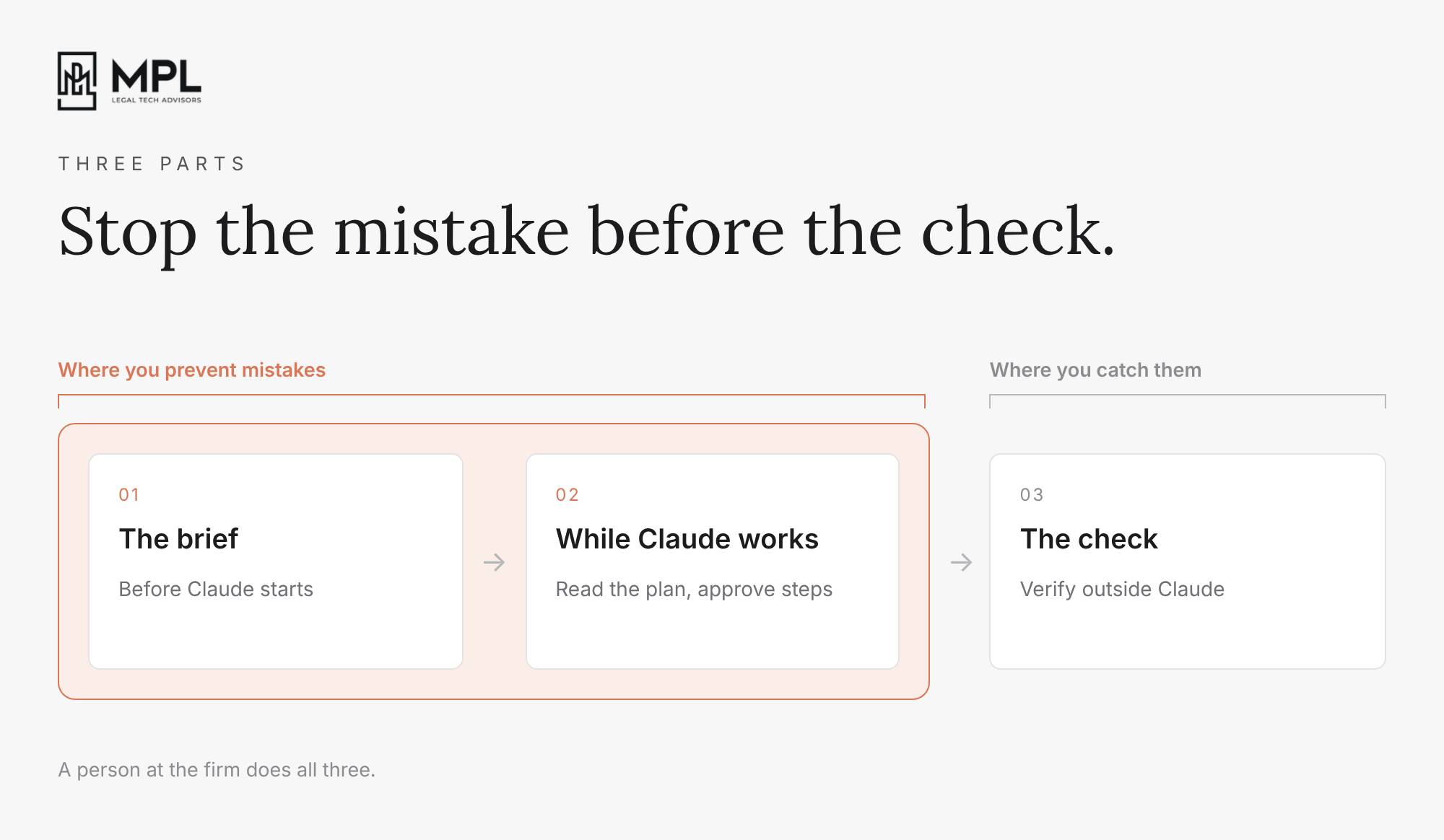
Every task you give Claude needs three parts of human work around it: the brief you write before Claude starts, the supervision while Claude works, and the check once Claude is done. Most of the focus today is on the final check, even though a better brief and a closer look while Claude works would prevent most of the mistakes the check catches after the fact.
On October 14, Magistrate Judge Maritza Dominguez Braswell, a federal judge in Colorado, updated her guidance on AI in litigation. She chose guidance over an order forcing lawyers to disclose their AI use, partly because a rule like that would weigh hardest on solo practitioners and small firms. Her advice is to “sandwich AI in the middle of your process”: read the materials and form your own view first, let AI help in the middle, and verify at the end.
The Brief
A brief is everything you tell Claude before it starts. That means what you want, which documents to work from, what your firm’s position is, what a good result looks like and what Claude should leave alone. When you leave one of those out, Claude fills the gap with its best guess. It then writes that guess in the same confident tone as everything it actually found in the file, which is why a thin brief can give you an answer that reads well and is still wrong.
Take prior injuries. If you ask Claude to “find the prior injuries in these records,” Claude has to guess which body parts matter, what your firm counts as a prior complaint, and what to do when a record is unclear. In a full brief, you give Claude:
- the date of the crash
- the injuries the client is claiming, say the neck and the lower back
- which providers’ records to read
- an instruction to put a page number next to every finding
- an instruction to write “not found” when it can’t find something, instead of filling the space with something that sounds likely
Judge Braswell’s order of things helps here too. Before you write the brief, decide what you’re looking for, so Claude works toward your view of the case instead of handing you one of its own.
You don’t have to write every brief at your firm yourself. Ask the attorney whose work with Claude you trust most to show you the briefs behind three recent tasks, and share those with your team as the example to follow. If your team writes the same brief every week, ask whoever runs your Claude setup to turn it into a Skill, so nobody has to write it from scratch again.
Supervise Claude While it Works
When you give Claude a longer task in Cowork, Claude first writes a plan, and Anthropic’s own guide tells you to review that approach before you let it run. While Claude works, it shows its progress and its reasoning, and you can step in and redirect it at any point. Reading the plan takes about a minute, and it’s the cheapest moment to catch a wrong turn. That could be a plan to summarize every record in the file when you only wanted the treatment after the crash, or a plan to answer a legal question from what Claude already knows when you wanted it to read the cases you uploaded.
Your firm can also choose how often Claude stops to ask:
Manual mode: Claude pauses and asks for your approval before it takes an action.
Auto mode: Claude checks each action itself and blocks the ones it considers unsafe.
Skip mode: Claude doesn’t pause, and nothing checks its actions.
In every mode, Claude asks before it permanently deletes files. Judge Braswell puts it plainly: “The more a tool does on its own, the more oversight it needs.” So decide as a firm which tasks your people may run on Auto, and keep anything that touches a client file or a court filing on Manual.
When you approve each step, you also leave behind a record of how you and Claude did the work. On October 21, Florida’s Fourth District Court of Appeal referred a lawyer in a divorce case to the Florida Bar. In September, the court had written that it suspected parts of her filings were generated by AI, and that its concern had “nothing to do with hallucinated law or false legal citations.” The court’s concern was arguments that, in the words of an article it quoted, looked “assembled by an AI tool rather than developed through a trained advocate’s independent judgment.” She denies using AI and answered that her citations are real, but no recheck of citations can show who did the thinking behind a filing. A record of the conversation, the plan and every step you approved can show a court that you made the decisions and Claude did the drafting you asked for.
Judge Braswell lists what she weighs when an AI mistake reaches her court. Two of those things are whether the lawyer took reasonable steps to verify before filing, and whether the lawyer follows written AI policies, and a record lets you show both. In the 52nd edition I wrote that firms on Claude Enterprise can pull every full session, with the prompts, the responses and everything Claude did, through Anthropic’s Compliance API. In the 58th I made the same point about medical records: when someone asks how you handled them, you hand over a short document instead of explaining on the spot. If you’re on Enterprise, ask whoever runs your Claude setup to check whether your conversations are set to delete after a set period. Admins can set that period as short as 30 days, and once Anthropic deletes a conversation, you can’t get it back.
Yellow Flags
You still need the check at the end, and Judge Braswell is clear about how to do it: “Asking an AI tool whether its own answer is correct is not verification.” Confirm every case in Westlaw, Lexis, Midpage, Descrybe, or a free source like CourtListener. Open every page Claude cited and make sure the record says what Claude says it does.
A firm founder recently told us about a habit that makes her check smaller every week. She wrote her review instructions so that Claude flagged anything it wasn’t sure about in yellow, and a person decided those cases instead of Claude. She kept every question Claude flagged, along with the answer the person gave. Then she gave Claude the whole list and asked how to change the instructions so it wouldn’t need to ask those questions next time, and the yellow flags kept shrinking.
You can copy this for any task your team checks regularly, like a chronology or a records summary:
- Tell Claude, in its instructions for that task, to flag anything it isn’t sure about instead of deciding it.
- Ask the person who reviews the task to write down each flagged question and the answer they gave.
- Once a week, have that person give Claude the list and ask how to change the instructions so Claude won’t need to ask again.
- Have the person who owns the task approve each change before anyone uses the new instructions.
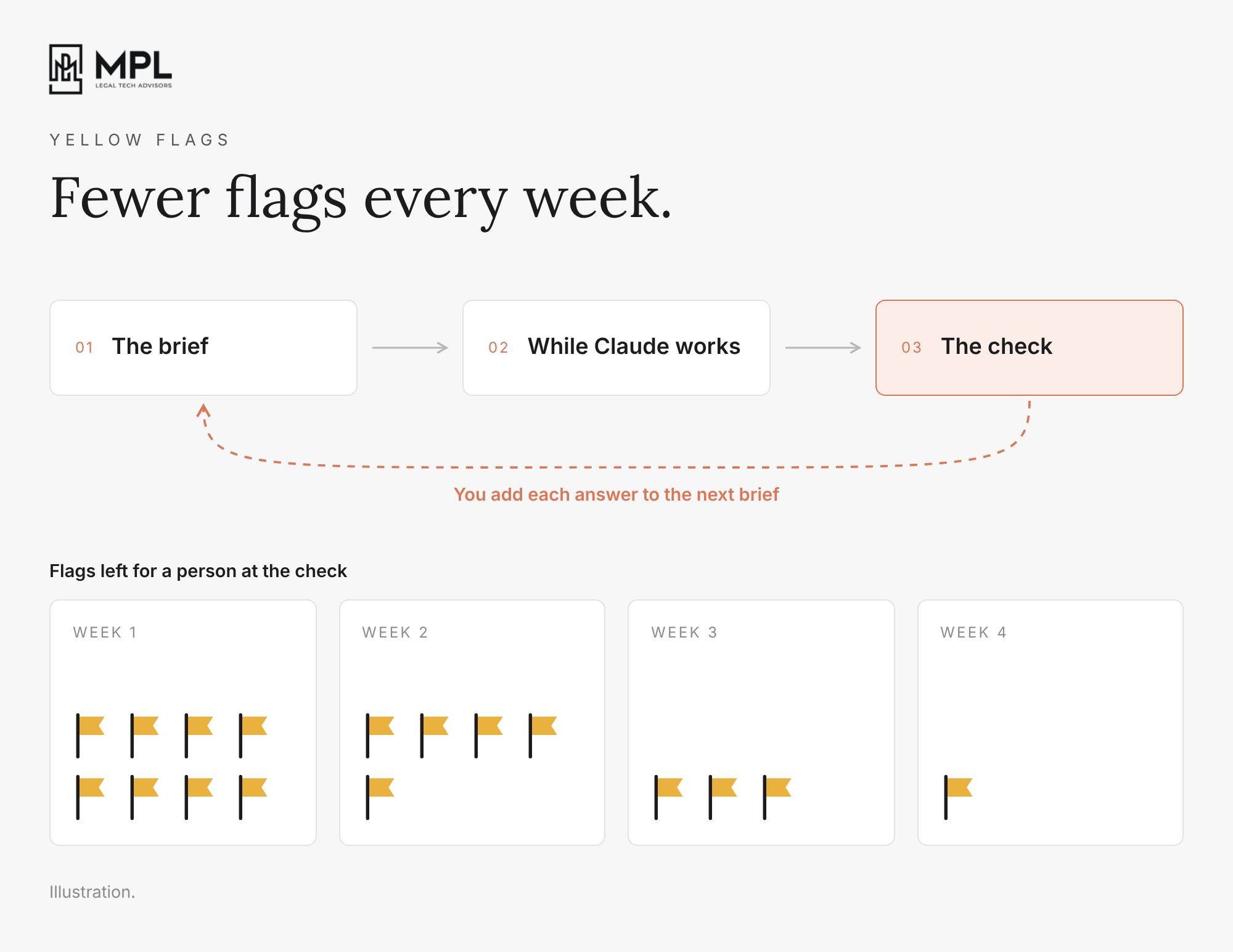
Each time your reviewer answers a flag, they write a line for the next brief. Over the weeks, Claude needs less of your supervision, and your check has fewer flags to work through.

Worth your attention:
Ready-made tools for legal work.
On 28 October Anthropic added a gallery of artifacts to Claude for Legal. Artifacts are small interactive tools, like trackers and dashboards, and each one opens with an example, so you can see how it works before you add your own documents and connectors. One of them is a cite check, which compares a document with its sources and flags quotes that don’t match, wrong page numbers and sources that don’t support the claim. You can use it as a first pass for the check from the essay above, and someone at the firm still verifies every citation outside Claude, the way Judge Braswell describes. Another is a matter board, which turns engagement letters, emails or spreadsheets into one board of open matters with the owner, the next step and the next deadline. Anthropic has also added more than 60 legal connectors since May, including Filevine. It lists the launch under Claude Enterprise and doesn’t say which other plans get it.
Chat and Cowork are now one Claude on Enterprise, out of beta.
In the 58th edition I wrote that Anthropic had let Enterprise admins turn on the combined chat and Cowork as a beta. On 23 October Anthropic made it generally available, and your admin manages the rollout in Organization settings. Anthropic also added four controls for admins, which matter because Enterprise bills every task by usage on top of the seats:
- Efficient mode: your admin can limit everyone to Sonnet and Haiku, the cheaper models.
- Model entitlements: your admin decides which models each role can use, so you can give attorneys the strongest model and paralegals a cheaper one.
- Spend limits: your admin sets a cap for the whole firm, for a group, or for one person.Pooled group budgets: your admin gives a group, like your paralegals, one shared monthly amount to draw from.
If your firm runs the HIPAA-ready setup, Anthropic keeps you on your current setup for now and hasn’t said when you can move.
Smart reports for Enterprise admins.
Yesterday, on 28th of October, Anthropic made smart reports generally available. Your admin picks a team, a date range and the products to include, and Claude reads a sample of that team’s conversations and groups the work. For each piece of work, the report shows what it cost, what it produced and where people got stuck, like a missing connector. Each report ends with recommendations, including recurring work worth turning into skills, the same kind of moments from last week’s edition on the legal AI brain. Anthropic says the reports are for planning and not for judging individual performance. On the HIPAA-ready setup, availability depends on how your firm is configured.
If you keep one chat going for days, you’ve probably had a morning like this. You open your case’s Project, pick up yesterday’s chat on a deposition summary and ask Claude a quick question, the kind it answered in seconds the day before. This time Claude takes ages to give you the first answer, and it misses things that were obvious to it yesterday.
1. Claude reads the whole chat again after a break
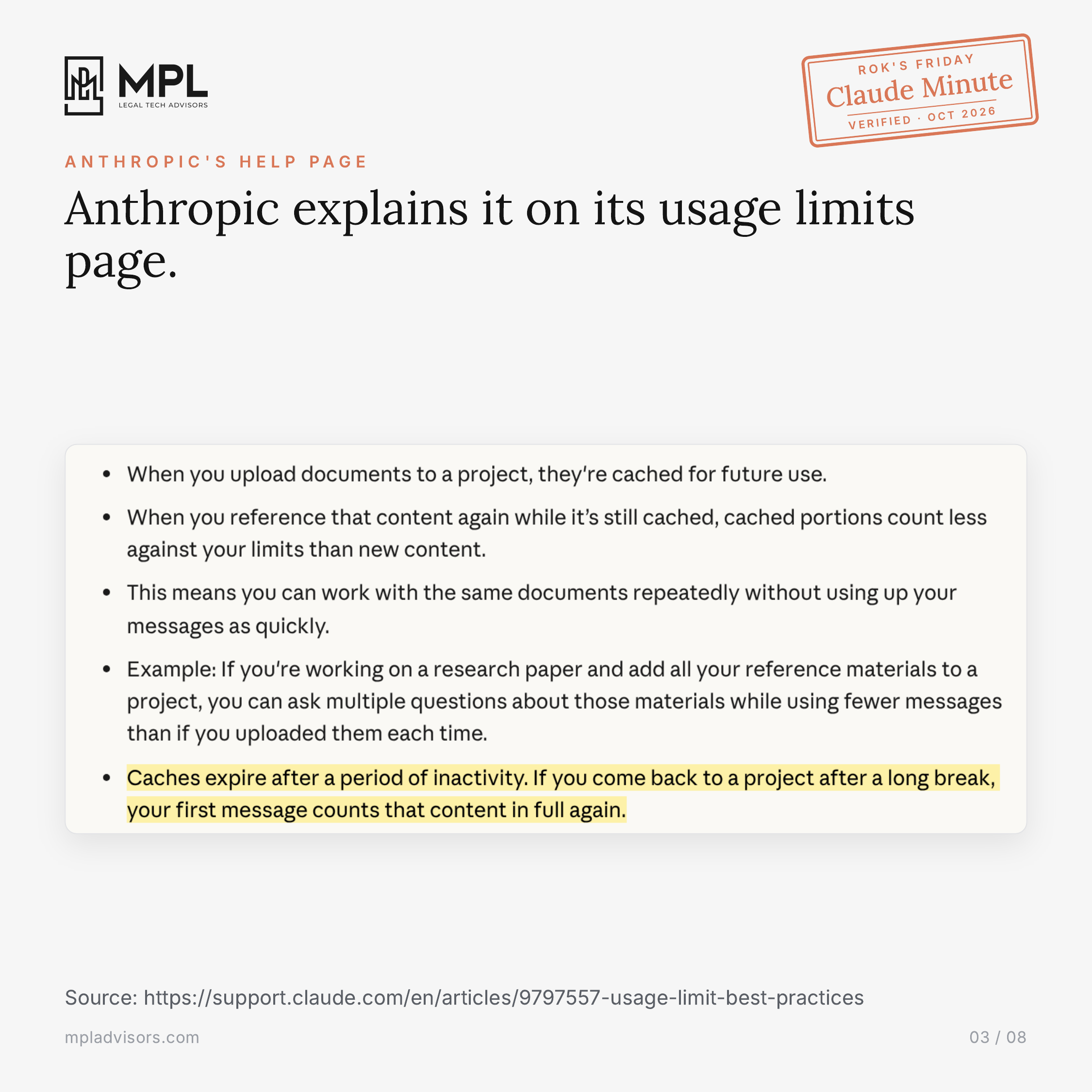
Claude reads everything in the chat again each time you send a message. While you work, Claude keeps the chat in a cache, so it rereads it quickly, and the cached part counts less against your usage limit. After a break, Claude drops that cache, so your first question makes it read the whole chat from scratch, even if you only ask one line.
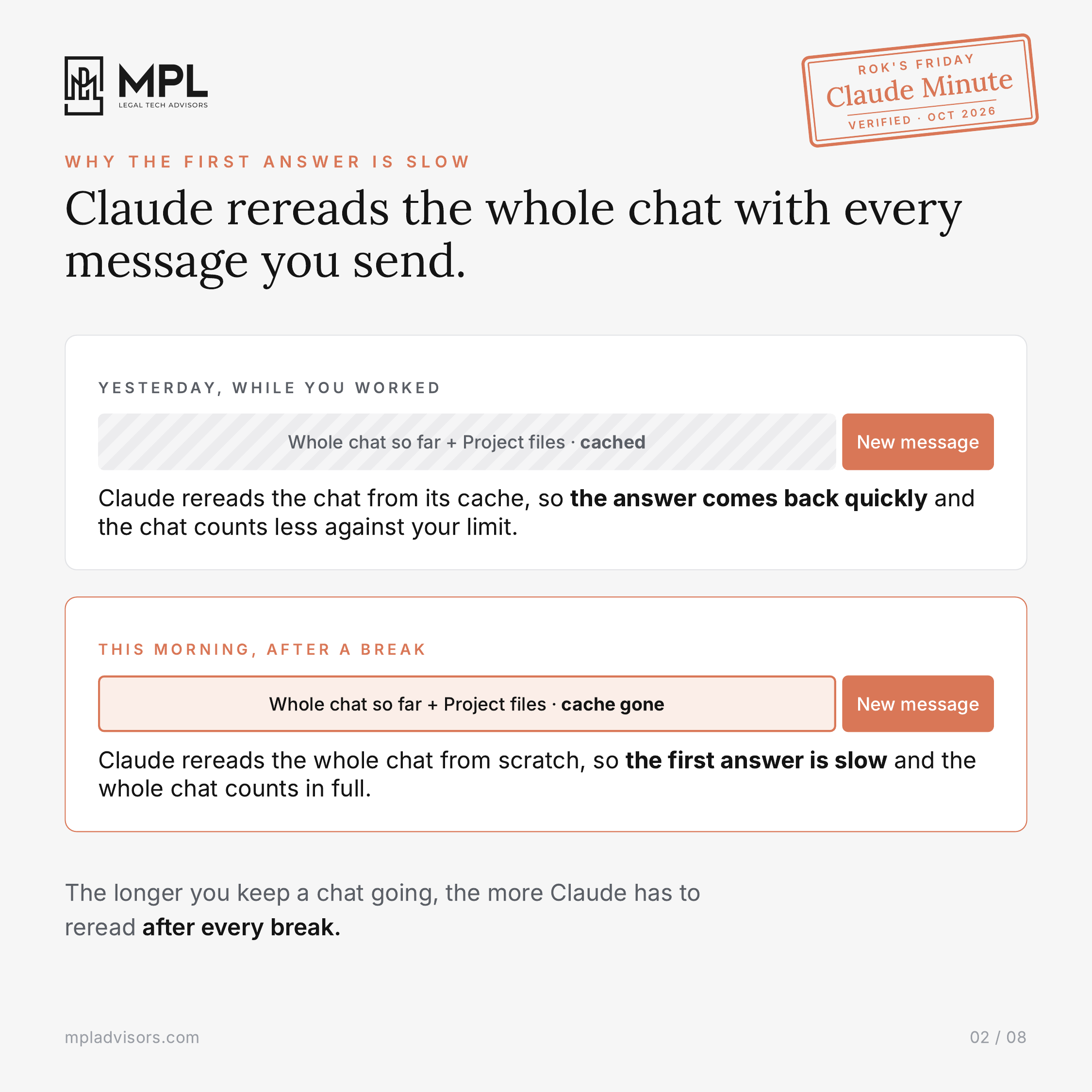
Anthropic explains it on its usage limits page: caches expire after a period of inactivity, and when you come back, “your first message counts that content in full again.” In a chat you’ve kept going for days, you wait longer for that first answer, and it uses more of your limit.
2. Claude summarizes the start of a long chat
Claude summarizes the earlier messages once a chat gets too long, so it has room to keep going. Anthropic says it keeps your full chat history so Claude can still refer back to it. A summary is still shorter than the messages it replaces, though, so it can leave out details, like the instruction you gave Claude on day one to cite the page for every entry.
3. Give every task its own chat
Keep the chronology, the records summary and the demand draft in separate chats, even on the same case, because Claude reads the Project’s files and instructions in every new chat. Before you leave a long chat, ask Claude for a summary of the decisions, the open issues, the next step and every instruction you gave it. Next time, paste that summary into a new chat in the same Project.
Legal AI in Action
🎬 One Claude Project for Every Case
In the video I show how to write the background of a case down once, in a Claude Project, so nobody on the case has to brief Claude on it again in every chat. I set one up for a personal injury matter in six steps and show who on your team does each one. You’ll see why you switch off account memory before any client records go in, why you prepare long scanned records first (Claude ignores scanned pages after page 100), and why only two people should edit the project. You also get three prompts to copy: one that builds an index of every document, one where Claude interviews you to write the instructions, and one that summarizes a chat before you start a new one.
🎙 A Trial Lawyer’s Claude, On Screen
Jon Hawk is a trial attorney of almost 30 years and the managing partner of Hawk Injury Law in Macon, Georgia. He keeps work that AI runs on its own to a minimum, out of concern for client confidentiality. He also finds he thinks harder about his cases with Claude than he did back when email took up so much of his day.
On screen, Jon walks me through his Claude setup and a mock jury trial he runs on a fictional trucking case. We talked about the two questions he asks before he turns a task into a skill, how he keeps client details out of what Claude reads, and why his case evaluation skill leaves the client’s story to him.
Coming up!
🎙 Next Tuesday at 11am PDT/ 2pm EDT / 6pm CET
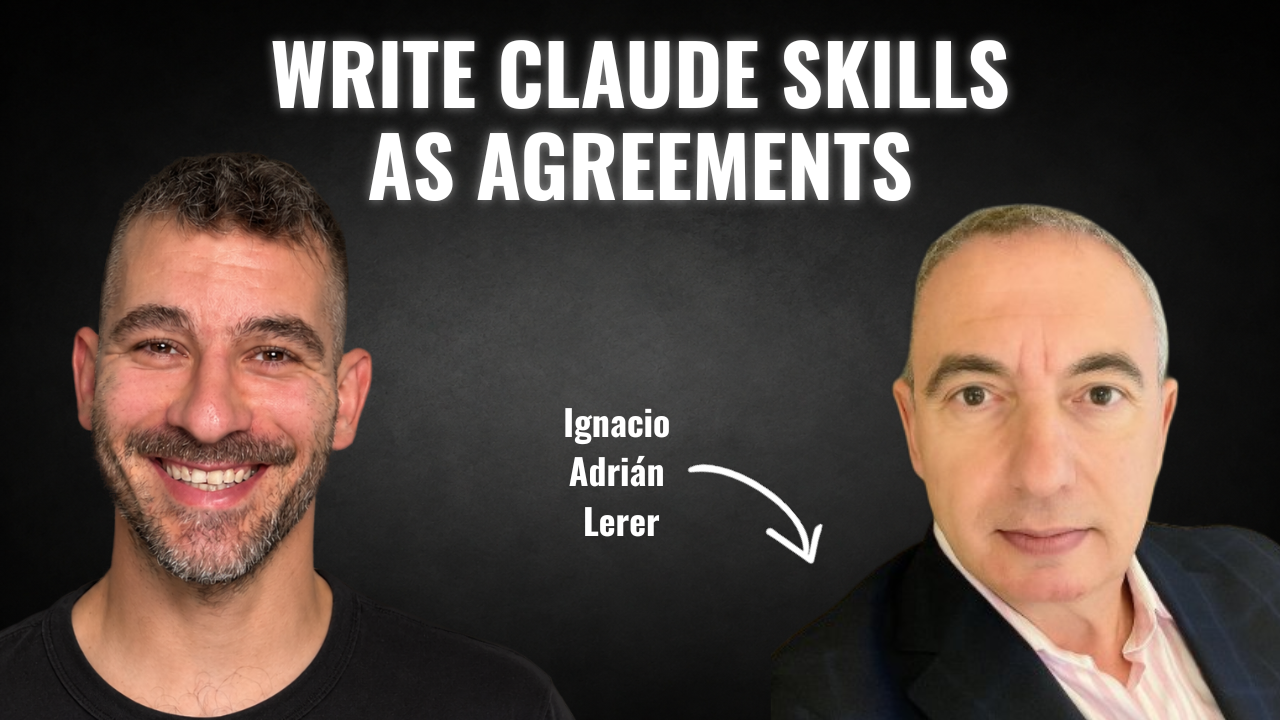
Next week’s guests on Rok’s Legal AI Conversations is Ignacio Adrián Lerer, a corporate lawyer in Buenos Aires with more than 35 years of practice. For 14 years he led legal and corporate affairs at Grupo Arauco in Argentina, and today he sits on the boards of several companies as an independent director. About a year and a half ago he started teaching himself AI, with no engineers around, and he now publishes the skills he builds on Lawve, so lawyers in any country can adapt them to their own law.
He explains why he thinks of a skill as an agreement between the lawyer and the AI, how he gives a model context the way he would brief a junior lawyer, and how he decides whether a skill someone else published is safe to use. We also get into how he is training open models on his own laptop to bring down his costs, and the three steps that he says have been making lawyers obsolete since long before AI.
Each edition of Legal AI Brief brings practical lessons from the frontlines of legal AI by your editor, Rok Popov Ledinski.