
An Hour Inside One Chat
Last week I sat with a paralegal at a plaintiff firm, watching how she works with Claude. She was drafting a letter to opposing counsel, and she’d spent about an hour teaching it how that letter should go - how it opens, the tone the firm uses, which section sits where, the things they never put in writing. By the end she had a draft she was happy with, she closed the chat, and opened a new one.
She just created a goldmine and moved on without harvesting it.
If she’d spent that hour walking a new hire through the same letter, the firm would call it training. She spent it on Claude, and it was forgotten along with that chat.
What Changed On The 25th
Now, two days before I sat down with her, Anthropic had changed the way Claude remembers things. And when I first read it, I thought this exact problem had just been solved.
Don’t get me wrong, Claude has had a memory for a while. It’s not a new feature, however, they made some changes to it just last week that every user is going to feel. In a positive way. On the 25th of August, the memory Claude has in Chat became the same memory it has in Cowork.
The old version summarised your conversations once they were finished. The new one saves what it learns topic by topic while you’re still talking, so telling it your deadline moved to September means your next chat already knows, without you having to say “remember this”.
You can also see everything Claude remembers about you. In your settings there’s a page called Memory, and on it you can see a list of topics. One of them might say what your firm is called and where you practise. Another has the kind of cases you take. Another has how you like a draft to come back to you. You open one and it’s a few lines of ordinary writing, nothing technical, and you can change what it says or delete it altogether.
So when something in there is wrong, you can easily change it. Say your firm changed its name a couple of years ago and Claude keeps using the old one - you can just open that topic and correct the name.
For that paralegal, this does help. Claude now remembers that she works at a plaintiff firm, that her week is letters and medical records, and that she wants a draft short and formal rather than long and chatty. She spends less of every morning explaining who she is and what she does.
But there’s a difference between Claude knowing things about her, and Claude knowing how to do her job. Her letter has rules - it opens with the case reference, the facts go before the demand, and the firm never puts a settlement number in the first paragraph. Those are steps for doing a piece of work, not facts about the person doing it. Memory holds the facts. It doesn’t hold the steps.
Whose Memory Is It
The memory belongs to her, though, and not to the firm.
It learns who she is and how she likes to work, and it will keep getting better at that for as long as she keeps working. But when another lawyer at her firm opens Claude, it knows none of this. He has to teach it the same things she did, from the beginning. So does the paralegal who joins in November, and so does everyone else. And if she leaves, everything Claude learned about her work goes with her, because it only ever lived in her own account.
On Team and Enterprise, an owner has to switch memory on for the firm before anyone can use it, and then each person switches it on for themselves. But there is no setting that gives the firm a memory of its own. Anthropic built memory to belong to a person, and every option in it points that way. So if you want your firm to keep what its people know, memory is not the thing that does it.
Eight People, One Firm
On Monday I had a call with a plaintiff firm in the US. Eight people - the founding partner, two associates, four paralegals, and someone on case management. Everyone there uses Claude every day, and they’re good at it.
They’re also all on their own personal accounts, working on their own. The partner has taught Claude how he wants a demand looked over before it goes out. One of the paralegals has taught it how she builds a medical chronology. The case manager has her own way of writing up a new matter, and Claude knows it. Three of them would write the same letter three different ways. None of them can see what the others have done, and the firm has not learned one thing from any of it.
That’s the pattern I keep running into, and it has almost nothing to do with how good your people are. Every time someone at your firm gives Claude a proper instruction - this is how we word that demand, this is what we always check before the spoliation letter goes out, this is the order of open records requests - they’ve written down a small piece of how the firm works. That person gets the benefit of it from then on, and the firm as a whole doesn’t.
If you multiply that by everyone on your team, five days a week, you get a firm where the people are getting sharper every month and the firm is standing exactly where it was in January.
The Firm’s Own Memory
Your people are already writing this stuff down every day. The only question is where it goes. There are three places at your firm it can go, and all three work the same on Team and on Enterprise.
The first one takes about ten minutes and almost nobody fills it in. In your settings there’s a short description of your firm - where you are, what you practise, and how you work. Every conversation anyone at the firm has starts from it. One of my clients had two partners write theirs last week; it’s a paragraph, and it means nobody has to explain to Claude that they’re a plaintiff firm in Florida before they can ask a question.
The second is a shared project with what your firm has already written down in it. At another firm we took their manual and their case checklists, put them in a project everyone can open and edit, and instructed Claude to answer only from these documents. We also told it to say so when the answer isn’t in them. Their team stopped hunting through a fifty-page PDF every couple of hours. Now they ask the project instead and get an answer straight away.
The third one is where that paralegal’s hour comes back - and it did, because we went and got it. One command turned that conversation into a skill, and everything she’d taught Claude about that letter went into a file the firm owns. Now anyone types “draft a letter to opposing counsel” and gets it written the way she writes it. Those conversations are gold mines, and most firms are sitting on hundreds of them.
You don’t have to write any of these from a blank page. Claude will interview you and draft them, and there are skills whose whole job is writing skills. There’s also plenty you don’t need to build at all - Anthropic ships a good number, and lawyers publish theirs for free on Lawve.
What The Manual Was Missing
Let’s go back to that second firm for a minute. They already had a manual, like most firms do - written a few years back, updated once, with most of the information there being slightly outdated or incomplete. They had checklists for a couple of case types too.
During one of our training sessions, we put the manual and the checklists into one project and set it so anyone at the firm can open it and edit it. Then we had Claude interview them about how they’d be using the project, and used its questions to write the project instructions. The main one was that it answers only from those documents, and says so when the answer isn’t there. Without that, Claude fills in the gaps with what it knows generally, and you really don’t want that in a firm manual.
Then we tested it. People asked it things that would normally take a few minutes to look up, and the answers came back in seconds, and they were right.
Then the managing partner spotted something else. The manual still needed a section on ordering medical records, one on discovery, and one on closing a file. And that explained something that had been bothering him - his people weren’t all doing those jobs the same way, because nobody had ever written down what the same way was.
Writing down how your firm works isn’t an AI project, and you get most of the benefit whether you automate anything or not. New hires read it. How you do things stops being something one partner fixes in everyone else’s drafts. And you find the holes in an afternoon, instead of one at a time whenever somebody new asks a question.
So this week, open your settings and write the paragraph about your firm. Then ask one person on your team to find a conversation where they spent real time teaching Claude something, and turn it into a skill.

Claude got its own browser. On the 26th of August, Cowork on the desktop gained a browser of its own, on Pro, Max and Team, with Enterprise admins able to switch it on. Claude opens a site in a side panel and works it - reads pages, fills forms, pulls numbers out of a portal - while you carry on with something else. It’s Claude’s browser and not yours, so it never sees your tabs or your passwords. Turning this on is a decision - a page can carry hidden instructions meant to redirect Claude, so Anthropic’s own advice is to start on sites you trust. Supervising the work product is not optional for lawyers.
The Compliance API now covers Cowork and Claude Code. As of the 26th, firms on Enterprise plans can pull the full session - prompts, responses, tool activity - through the same interface they already use for chats, with no separate logging to build. If you have an Enterprise plan and a compliance key, this is a short job for whoever handles your IT, and it’s how you answer a client audit about AI without guessing.
Skill scanning went into beta. Enterprise owners can now have Claude check third-party skills and plugins for malicious content when someone uploads one, with a pass, warn or fail. It’s off by default. Until it’s out of beta, you can reap the same benefits by using a skill that checks other skills before you let others in your firm use them.
Legal AI in Action
🎬 The Connector Clio Didn’t Have
Claude connects to your Outlook and SharePoint in ten minutes. Search the connector directory for Clio, MyCase, or Filevine and nothing comes up, and every client of ours has asked for one. So we built it for Clio, and the video shows it on a live file: a client calls, I haven’t opened Clio in two weeks, and I answer her from Claude, then put the note, task, and calendar entry in one sentence. It also covers the six questions to ask whoever builds yours, starting with whose computer it runs on.
🎙 Start in Your Personal Bubble
Veronica Lopez is an investigations attorney at an AmLaw 100 firm, an American in Zurich running cross-border matters across the US, Switzerland and Latin America. Her client work is sensitive enough that she has spent two years never putting a word of it into AI, so she started learning on her own time instead. She now helps run the residency programme at LegalQuants, teaching attorneys to build with AI.
We talked about the first thing she built at work - a project that tracks regulatory updates and hands her an executive summary, made only out of public material so it never goes near a client; the email skill she would build first if her firm let her, to turn her short American emails into the warm, formal shape her Swiss colleagues expect; and what actually brought the AI-resistant attorneys on her team round.
Coming up!
🎙 Next Tuesday at 2pm CET!
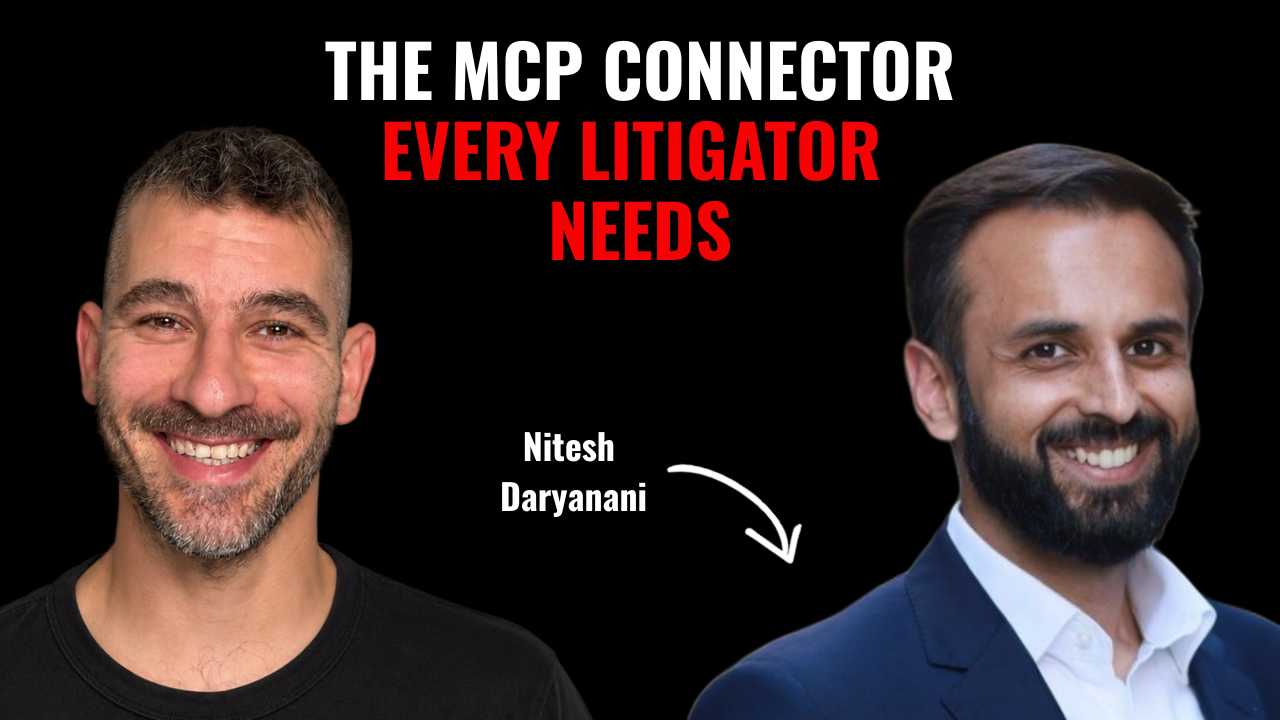
Next week’s guests on Rok’s Legal AI Conversations is Nitesh Daryanani, counsel at Midpage, an AI legal research and drafting platform. He spent fifteen years in litigation before going in-house - first in India, arguing up to the Supreme Court, then eight years in the US at Morrison Foerster, Latham, and a twenty-lawyer boutique in San Francisco.
He shares his screen for part of this one and walks through a live legal research workflow, which is new for the podcast. We got into why lawyers fall for hallucinated citations, since the legal principle attached is usually right and the confidence carries over to a case that doesn’t exist; the twenty percent of litigation that really is standardised, and what stays repeatable in the other eighty; and why his own skill files sometimes make Claude’s output worse.
Each edition of Legal AI Brief brings practical lessons from firms using AI safely.