
Sixteen Different Ways of Asking
I’ve written about MCP connectors before, and about why they deserve your attention even though the name sounds like the biggest buzzword in legal tech. And so it happened that this past weekend I sat down for my analysis ritual, reflecting on the past few months - something I do regularly, in both my personal and professional life to cut through the noise and see what is really important.
And there it was, screaming at my face from 16 different conversations with 16 different partners about 16 different issues and pains.
What They Were Actually Asking
These conversations never started with technology. A partner would be telling me about his paralegal’s week, and somewhere in the middle of it he’d slow down and ask why she still spends seven hours pulling a demand letter together when everything that letter needs is already sitting in the case system.
That was one version of the question. Over the months I heard it asked about medical records, about status updates, about a server quote from an IT provider that read like a foreign language. My favorite version came from a partner who stopped me halfway through an answer and said: explain this to me like I’m 4.
And whether they knew it or not, every single one of them was asking me for the same thing: they wanted their AI actually connected to the systems their firm runs on, instead of living in a separate window off to the side. That thing they were all asking for has a name - it’s called an MCP connector.
You already use one, by the way. When you talk to Claude and it reads your OneDrive or your Outlook, that’s a connector. When Claude gives you a morning brief of your inbox, that’s a connector - Microsoft and Anthropic built that one, so it feels like it came free with the product. The one your case system needs works exactly the same way, except nobody built it for you yet.
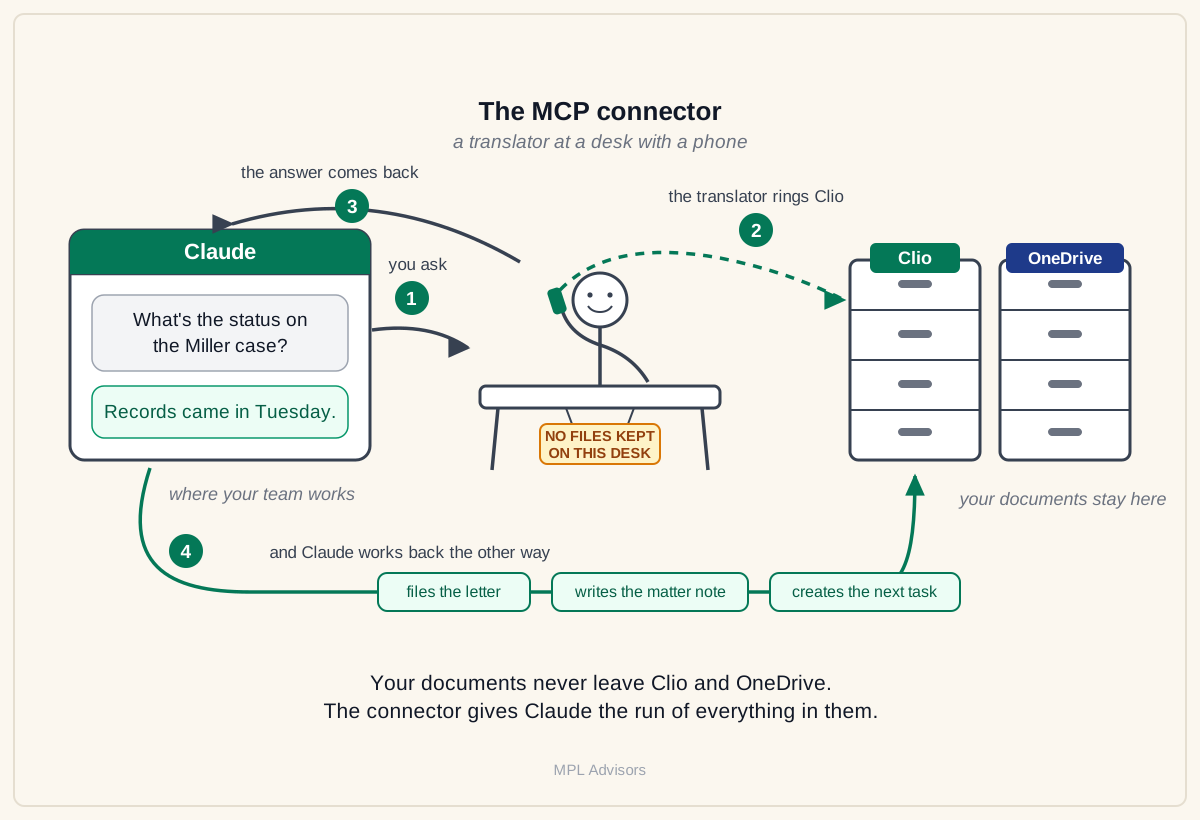
Think of the MCP connector as a translator sitting at a desk with a phone. You ask Claude where the medical records for a client stand or what’s the status of the Miller case. The translator rings Clio, gets the answer, and now Claude knows about it. No paperwork ever sits on that desk. Your documents stay in Clio and OneDrive exactly where they are today, and the translator holds nothing - it carries the conversation between the two, and that’s all it does.
Which brings me to the part that surprised all sixteen of them: Clio MCP connector is not a thing. Clio didn’t build one. Neither did MyCase, or Filevine, or most of the systems small firms run on. For Microsoft 365, the connector exists out of the box. For your case system, somebody has to build the translator - and that’s where the sixteen conversations really started. Now, since Clio doesn’t even have it in the roadmap and we didn’t want out clients to wait for them to make a better decision, we did exactly that at MPL Advisors - built our own Clio connector.
What They Asked Next
At this point in the conversation I usually got a few questions from the partners, so I’m going to answer the 3 most common ones:
The first one, and I hear this one a lot: “can’t we just do this with Zapier?”
Two problems. A law firm has a duty of confidentiality and privilege, so you can’t run client files through a consumer automation plan - you would need Zapier’s enterprise contract, the bespoke-priced kind built for large companies. And even on that contract, you pay for every task you run - that would be on top of the enterprise plan. One question from Claude to Clio costs two tasks. Every question, every day, every paralegal - the bill grows with use, forever. With your own connector it’s the opposite: you pay to build it once, and after that your team can ask it a thousand questions a day and the price stays the same.
The second one: “so does my client data sit on this new thing?”
No - and you already know why, because the translator holds nothing. Your documents stay in Clio and OneDrive exactly where they are today. The connector carries the conversation between Claude and your case system, and when the conversation ends, nothing stays behind on that desk.
The third one: “are we stuck with this if we picked the wrong AI?”
You’re not, and this is my favorite answer of the three. The connector is yours the way your phone number is yours. Change carriers, keep the number. Unplug it from Claude, plug it into Copilot or Gemini, and everything you built keeps working.
And then there was the question I heard from almost everyone so far, usually asked a little carefully: so who can run this thing for me? That one deserves its own section.
Who Runs This Thing
Setting this up and running it is your AI partner’s job, the whole thing. They build the connector, and a good one doesn’t hand you a task list - they coordinate with your IT provider directly. They tell them what needs to be set up, a small machine inside your own Microsoft environment and authentication through the Microsoft accounts your team already uses, and they check everything was done properly before anything goes live.
After that, your IT provider keeps the machine running, which shows up as a symbolic monthly add-on to what you already pay them. Your AI partner maintains the connector itself - when Clio or Claude change something on their side, they update it and your team never notices anything happened.
And if you’re reading this and thinking to yourself: “We don’t have an AI partner!”, this is exactly what we do at MPL Advisors.
Sixteen Problems, One Wire
With a connector running, the paralegal with the seven-hour demand letter asks Claude for a draft. Claude pulls the records, the notes and the numbers from the matter and puts the draft together, and her job becomes reading it and fixing what’s wrong. When the letter goes out, Claude saves it in the right folder, writes the note into the matter, and creates the follow-up task with its date.
Sixteen partners came to me with what looked like sixteen different problems - records, status checks, demand letters, a paralegal’s lost week. Underneath, every one of them was the same problem: Claude on one side, the case system on the other, and a person in the middle carrying things across by hand. One connector closes that gap for all sixteen at once. And everything I’ve written about in the past editions - the skills, the agents, the operating system your firm runs on - travels over this same wire. You build it once, and everything after that uses it.
The Clio Connector
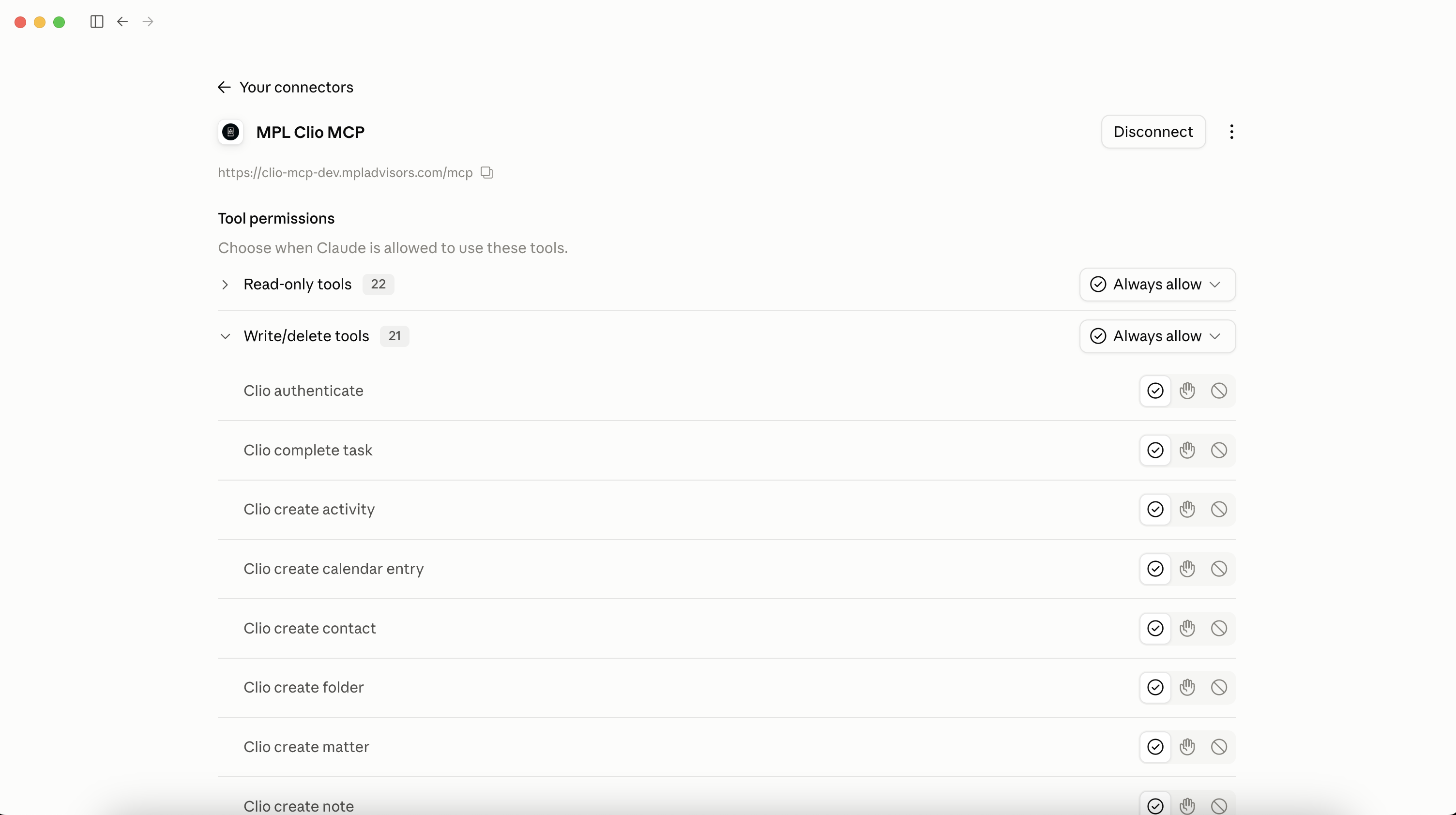
Clio doesn’t ship one and it isn’t on their roadmap, so at MPL Advisors, we decided to build it. It connects Claude to your Clio: reading the matters, the documents, the tasks, the calendar and the time entries, and writing tasks, notes and documents back onto the matter.
It runs on a small machine inside your firm’s own Microsoft tenant. Your IT decides who can reach it, and it can be set up so it isn’t reachable from the internet at all. Traffic is encrypted, and no copy of your documents or matter data is kept on it.
We also made it technically impossible for Claude to delete anything inside your Clio. Everything Claude does in Clio is logged against the matter it happened on, so your firm has proof how AI was used on every matter.
Legal AI in Action
🎬 Claude Inside Copilot Isn’t Claude
“We can already select Claude models in Copilot, so why would we pay for Claude separately?” I have these conversations every week, and it’s an expensive misconception. A model and an application are two different things and this week’s video explains the difference with animations, in plain English: the engine, and the car built around it. Then the numbers: the same question asked in both came back missing half the substance, and Legora measured quality rising five percent from application work alone. Ends with what to do with your Copilot seats.
🎙 Preserve Your Best Thinking With the Help of AI
Wendy Jephson is co-founder and CEO of Let’s Think in London, building behavioural science into technology that gets what an expert knows out of their head and into words. She’s dual-qualified as a commercial lawyer and business psychologist - seven years as UK Legal Director at Eli Lilly, then co-founded Sybenetix and sold it to Nasdaq in 2017, where she stayed on to run behavioural science before starting Let’s Think with a co-founder who has twenty years of the science behind her.
We talked about the three stages of handing your thinking to a tool - offloading, drifting, and surrendering, which is how people following satnav end up in lakes; why she’d stop trying to write a playbook and let one emerge from the work as it’s actually done; and the outside lawyers who negotiated her own license agreements, then spent five minutes with her tech explaining their redlines - and handed over reasoning they’d never written down for anyone.
Coming up!
🎙 Next Tuesday at 2pm CET!
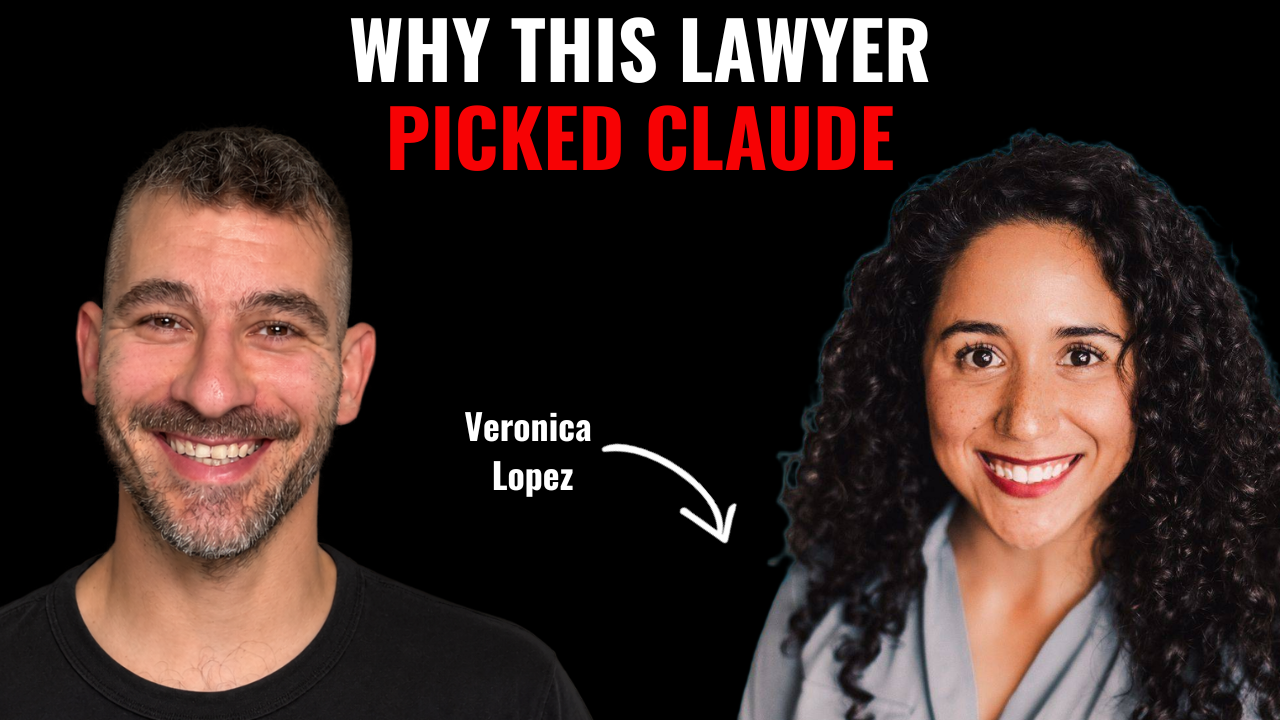
Next week’s guests on Rok’s Legal AI Conversations is Veronica Lopez, an investigations attorney at an AmLaw 100 firm, working cross-border matters between the US, Switzerland and Latin America. Her firm has Claude with skills and plugins switched off - so she became a builder outside it, through LegalQuants, where she helps run the residency program teaching attorneys to build with AI.
She tells me what she managed to set up inside her own firm despite most of the features being switched off - a project that watches regulatory websites and hands her an executive summary each day, built entirely on public information; the skill that rewrites her short American emails into the warm, formal shape her Swiss colleagues expect; and what finally made the AI-resistant attorneys on her team come around.
Each edition of Legal AI Brief brings practical lessons from firms using AI safely.