
A Deficiency Notice
On Friday I was on a call with 2 lawyers from 2 small firms in Utah, and halfway through talking about how important it is to brief AI very specifically, one of them stopped us because she had, in her words, a perfect example of what we were talking about. The day before, she had filed her first ever brief in the 10th Circuit, and the 10th Circuit wants the brief to come with an appendix of all the documents it refers to, so she asked her paralegal to put the appendix together.
She wrote the brief herself with Claude, and at the end she gave Claude one more job, to go through everything and check it against the rules. The paralegal, who is fairly new both to being a paralegal and to using AI, built the appendix with her own Claude. She uploaded the court’s rules, Claude put together an appendix that looked really good, and the firm filed it. A deficiency notice came back, because the appendix didn’t follow the rules.
When the lawyer asked her whether she had given Claude the rules, the paralegal said she had. She just never told it to apply them and check the appendix against them.
The firm already knew how to do this right, because the lawyer had that last check built into the way she works with Claude. But that step lived in her Claude, and the paralegal’s Claude had never heard of it. And in a firm of five or ten people, that’s where a lot of the know-how has always lived, in one person’s head and one person’s habits, and since everyone started working with AI, more and more of it ends up inside one person’s setup, where the rest of the team can’t use it.
Whose Version
Earlier that same day, we were running a training with a personal injury firm, building a skill for medical chronologies, when someone in the room asked the same question from the other side. He wanted to know whether we expected the firm to agree on one way of doing chronologies, or whether every lawyer and paralegal should just teach Claude the way they do it, “standardization be damned”. Back in 2015 and 2016, prior to generative AI, he helped a firm he worked at then with standardizing their templates, and he still remembered that getting everyone onto one process was, in his words, like pulling teeth.
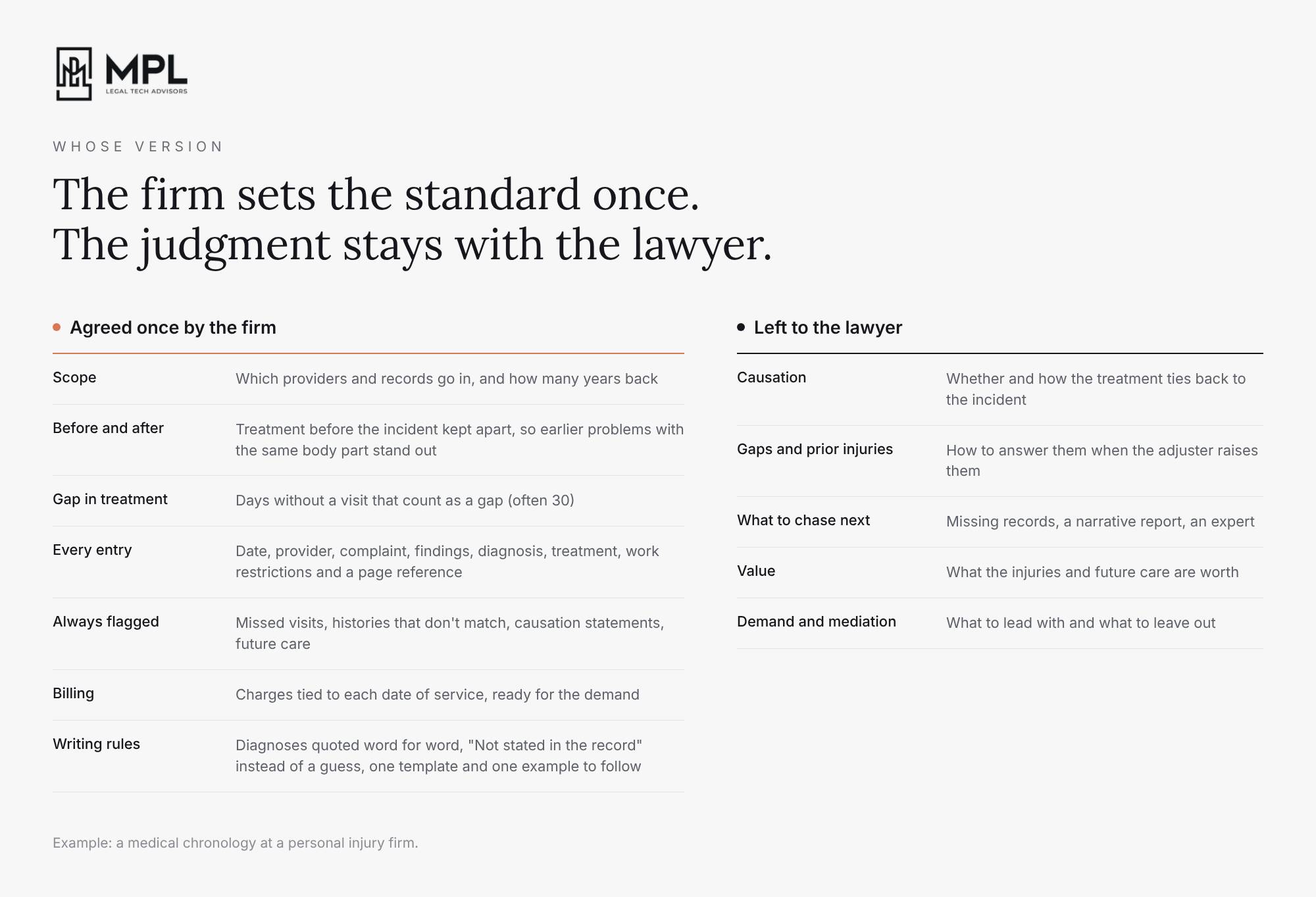
Every task has parts that should be the same for everyone and parts that shouldn’t. How a lawyer reads the records and what they think matters for the case is their judgment, and nobody should take that away from them. But the whole firm does have to agree on what a few things mean. For example, if there’s no standard in what counts as a break in treatment, whether that’s a couple of weeks or a couple of months, Claude, and any powerful AI model today, will interpret that for itself. And if nobody tells it which pre-existing conditions are relevant, it fills that in too, so every chronology comes back with a slightly different answer to the same question.
Claude gets just as confused by examples. If the firm keeps two good chronologies as examples, and one of them is a table while the other one is a timeline, Claude has no way of knowing which one to follow.
So for each task, the firm only has to agree on the few places where people’s versions really differ, and everything else can stay the way each person likes it.
Two Weeks, Five Files
That firm, like the majority of small firms, never had a knowledge lawyer or a committee for this kind of work, and it couldn’t have spared anyone for it anyway, because the people who knew the work best were the ones carrying the full caseload.
When you are in a position like this, a very practical approach to follow is to start with one task. For example, pick chronologies. Talk to that one person you know writes the chronologies in a way your attorneys trust the most. Go through with them how they do it, step by step, and ask them to show you a few of their past conversations with Claude, because a lot of the small decisions they would never think to write down are already in there. Use that to build a first version of the skill, and ask that person to use it on five of their own cases for two weeks. At the end of the two weeks, ask them to record a voice note, about half an hour of just talking through what worked and what didn’t, and fix the skill based on what they found.
Then give it to about half of the team, not everyone at once. After another two weeks, check whether they are actually using it and where they still do the work differently. If two people both do the task well, just in different ways, put their versions side by side. Compare what each one produced, how long it took and how many tokens it used, and use something in between the two as the firm’s first version.
Don’t send everyone an email every Monday with a list of new skills to use. In a busy firm, things spread when one person shows a colleague something that worked on one of their cases, so give the people who use it well the time to show it to the others.
What’s Your Workflow
The other lawyer on that Friday call practises in a two-attorney firm, where the lead attorney isn’t a tech person, and over the past year and a half he built most of their work into Claude by himself. A little earlier in the call I had mentioned how often lawyers tell me they do things their own way and don’t have the time to learn a new tool, and he said that was exactly where his own thinking had changed.
A paralegal at his firm had come to him and said she needed to use AI, because she needed to get faster, as fast as him. He asked her back, “well, what’s your workflow process? How do you work?”, because he couldn’t just hand over what he does when what he does is a whole process.
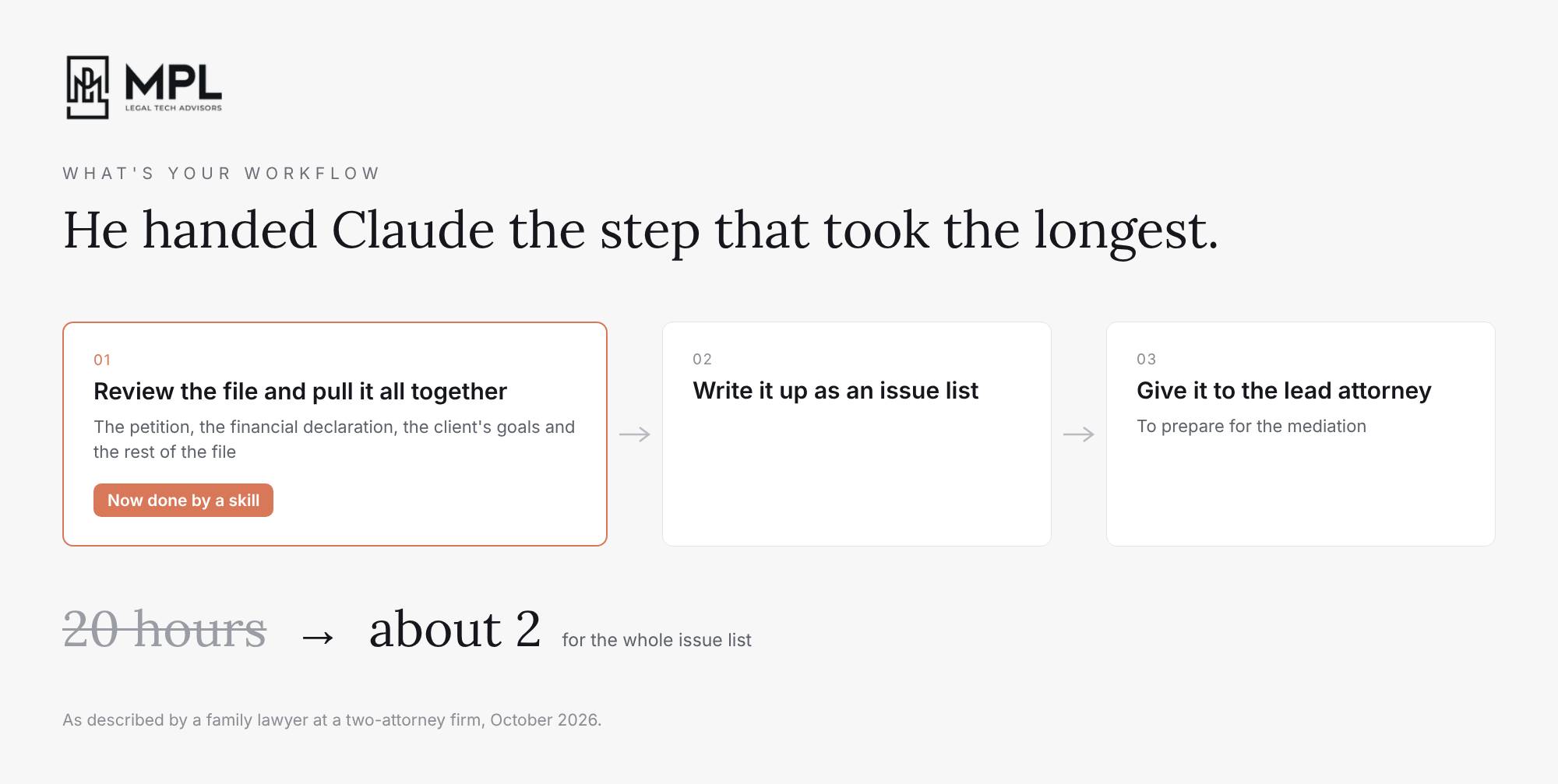
Then he walked us through one of his. The lead attorney wanted an issue list to prepare for a mediation. Before AI, he went through the petition, the financial declaration and the rest of the file, pulled it all together for himself, wrote it up as an issue list and gave it to the attorney. So he asked himself which part of that took the most time, and the answer was the reviewing. Then he asked whether he could use AI for just that part, and it turned out he could. He built a skill that takes the petition, the financial declaration and the client’s goals, and does the pulling together he used to do by hand. Something that used to take him 20 hours now takes him about 2.
Instead of a prompt, the first thing he gave his paralegal was a task to write down the steps she follows for one thing she does every day.
So this week, ask one person on your team to do the same with the last demand package they drafted. That’s much easier than hiring a knowledge lawyer and it will probably get your firm moving much faster.

Anthropic shipped a lot in the past week, and only part of it changes anything for a law firm.
Worth your attention:
Docs, Slides and Design are out of beta. In the 55th edition I wrote that Claude Docs and Slides had started rolling out and I couldn’t see them yet. On 8 October Anthropic took the beta label off Docs, Slides and Design, and they’re now on every plan, including Free. Your team and Claude can work on the same document or deck, PowerPoint and PDF downloads look like what you made in the editor, and you can edit from the mobile app. You can also share a deck with people outside the firm, or with anyone who has the link, if your admin allows it, so ask your admin who is allowed to do that before a client deck goes out by link. On Enterprise they turn on by default on 15 October.
Less important for small firms:
Claude Dashboards and Claude Motion are in beta. Dashboards turns a question about your data into a dashboard that stays up to date, but only if the data sits in a data platform or a CRM like Salesforce. Motion turns a report into a short animated explainer you can download as a video, on Team and Enterprise.
Claude Haiku 5.5 and cheaper Sonnet 5.5. Haiku 5.5 is Anthropic’s fastest and cheapest model, and Sonnet 5.5 got about 20% cheaper for longer tasks. Both price changes apply to the API, so on a regular plan you won’t see a difference on your bill.
Monthly API credits on Team plans. Team plans now get up to $500 a month in API credits, but they only pay for things running on your firm’s own API key, not for anyone’s use of Claude Chat, Cowork or Claude Code.

Rok’s Friday Claude Minute is a new thing where I share either a practical tip or something we tested in Claude at MPL Advisors. It will be going out on LinkedIn on Fridays, and from now on you’ll get it here a day early.
This week, I uploaded a 150-page scanned PDF to the Context section of a Claude Project, the same kind of scan you get back from a hospital records request. I asked Claude for one sentence on page 40, and Claude replied that “the project copy came back as blank pages”.
Anthropic’s help page says that for PDFs from 101 to 1,000 pages, Claude processes text only. A scanned page has no text, only a picture of the page. So the Project stored 150 blank pages, and Claude had nothing to read.
We tested two scanned PDFs, one with 150 pages and one with 85, uploaded three ways: to the Context section of a Project, in a chat inside the same Project, and in a chat outside any Project. In both chats, Claude read both PDFs correctly. The only PDF it couldn’t read was the 150-page one in the Context section.
So if your paralegal gets more than 100 pages of scanned medical records back from a provider, run them through an OCR tool first. If OCR isn’t an option, split them into PDFs of 100 pages or fewer, or upload them in a chat.
Legal AI in Action
🎬 I Used to Do This in Supio. Where Do I Do It in Claude?
When a personal injury team moves from a platform like Supio to Claude, the first question is usually a very practical one: “I used to do this in Supio. Where do I do it in Claude?” In this video, I go through the Supio features PI teams use most (the case workspace, the templates, the medical chronology, the knowledge base and Case Signals) and show where each one goes in Claude. Then I walk through two conversations on sample records, where we built a medical chronology the long way first, and then got the same result for a new client from a one-line request.
🎙 A 15-Lawyer Firm With No Support Staff
Jan Roggen is the founder of Legaltech Match and works with law firms of 20 to 150 people on AI strategy. Before that, he practised law at a big Belgian firm, grew his own firm to 15 lawyers with no support staff by automating the whole back office, and led GenAI work at Deloitte Legal Belgium. He thinks every firm should be getting more efficient with AI, but efficiency is not a long-term strategy unless you want to be the discounter.
We talked about why he starts most firms on a general platform and only buys a specialist tool for one or two teams, Jan shares how the AI director of a big Chicago firm decided to wait for technology to fix their naming conventions instead of doing it by hand, and why a firm should only run one transformation project at a time, big enough to justify a new partner.
Coming up!
🎙 Next Tuesday at 2pm CET!
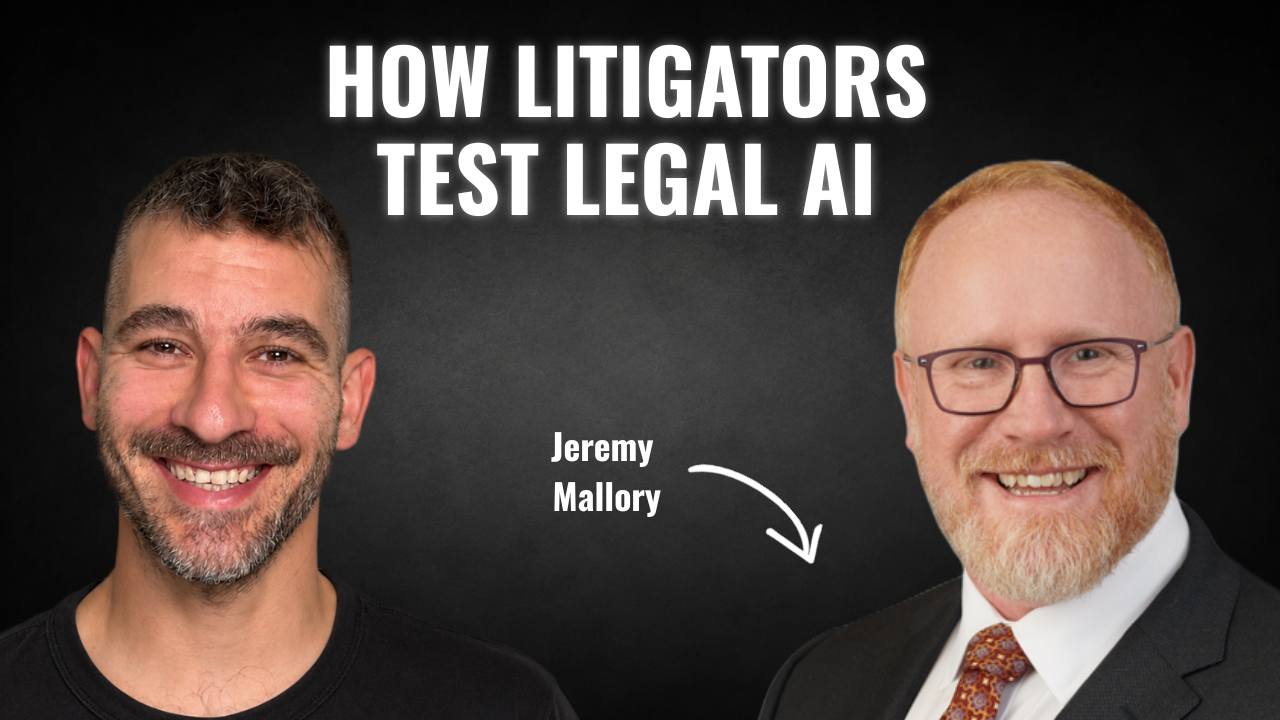
Next week’s guests on Rok’s Legal AI Conversations is Jeremy Mallory, counsel at Massey & Gail, a 25-lawyer commercial litigation boutique in Chicago. Before that he clerked for Judge Diane Wood on the Seventh Circuit and worked at Sidley Austin and Kirkland & Ellis. After he wrote his firm’s first proposal for using AI, he became the person in charge of it.
He tells me how he ended up in charge of AI at his firm and how he tested Harvey and August against each other on a dozen litigation tasks. We also get into what legal AI looks like from the litigation side, who at a 25-lawyer firm can find the time to capture what its lawyers know, and his disagreement with the idea that legal AI platforms will one day hold the best practices for the whole industry.
Each edition of Legal AI Brief brings practical lessons from firms using AI safely.