
$33.2 Billion
Anthropic started selling its shares on the Nasdaq today, and they opened 34% above the IPO price. Its filing reported $33.2 billion in revenue for the first nine months of this year, up from $2.5 billion in the same months last year.
Investors have spent the past few weeks asking whether AI companies can earn enough to justify what they’re spending. The Nasdaq closed 5.5% lower on 5 November, its biggest one-day fall since April 2025. Reuters reported that investors were worried about new restrictions on data centers after the midterm elections, on top of concerns about how much technology companies are spending on AI infrastructure.
Customers are spending more with Anthropic every year, and investors want to know what all that money will earn and that’s fair. I think we should ask the same question about a law firm’s Claude spend. And you can answer it with 3 numbers from your own files.
Count 3 Numbers
8am surveyed more than 1,300 legal professionals for its 2026 report, and 38% of the respondents who use AI said it saves them between 1 and 5 hours a week. Each respondent estimated their own week, so that figure tells you about the industry, and not about your own firm.
To find out what Claude changed at your firm, start with 3 numbers you can measure from the work your team already does: the hours it takes to complete a task, how often an attorney sends work back for changes, and how many active files each paralegal carries.
Pick a task your paralegals do every week, like preparing a medical chronology or drafting a demand package. Take 3 recently completed matters and find out how many hours the task took before your team started using Claude. Measure the same task on 3 comparable matters today, including the time spent prompting Claude, reviewing its answer, checking it against the source records and correcting mistakes.
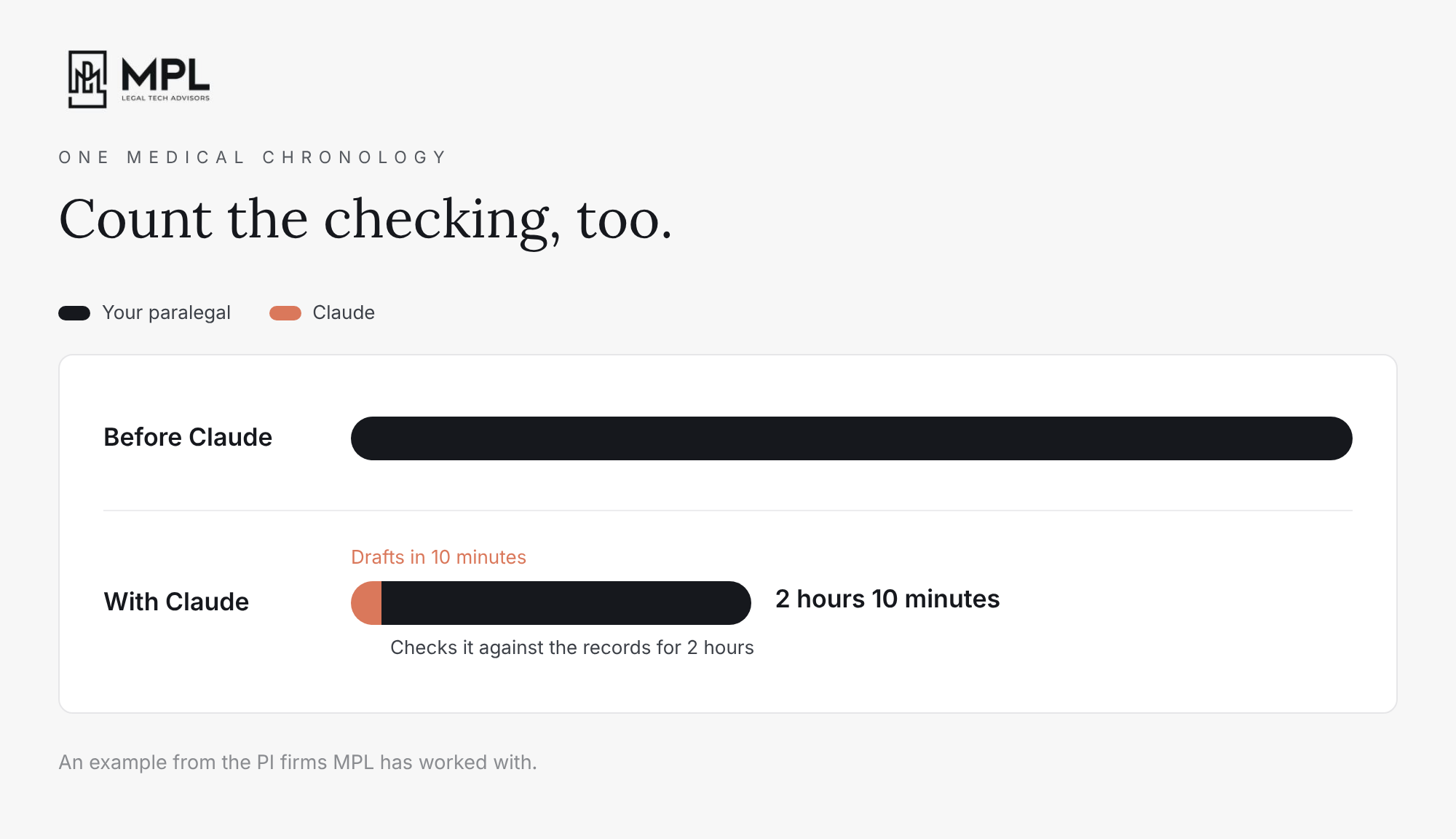
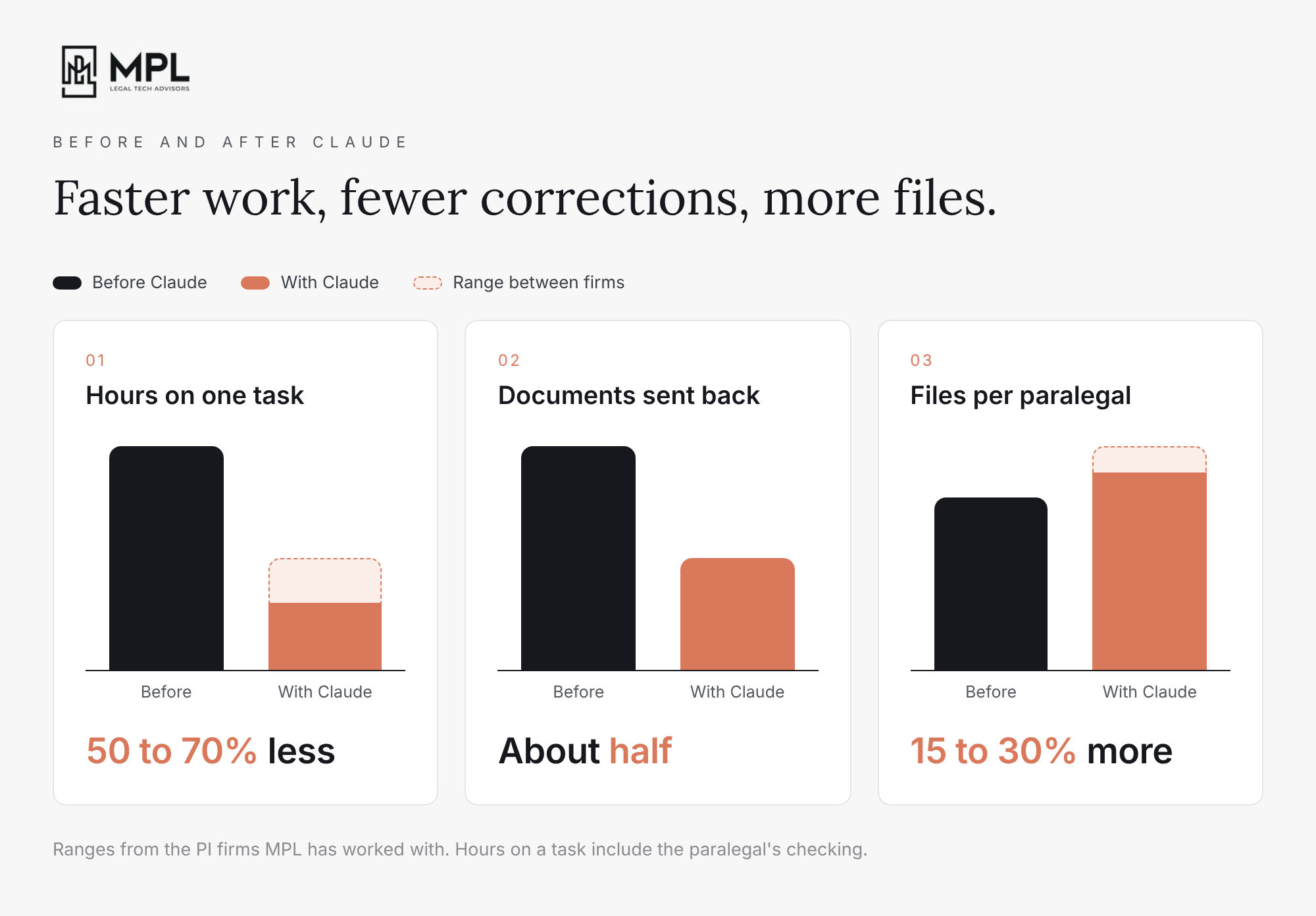
If Claude drafts a medical chronology in 10 minutes and your paralegal spends another 2 hours checking it against the records, the task took 2 hours and 10 minutes, and you compare that number with the time it took before Claude. At the PI firms we’ve worked with, we’ve seen reductions of 50 to 70 percent on tasks like these. But your firm needs to measure the whole task, because Claude can produce a draft in minutes and still leave your paralegal with hours of work before it’s ready for the attorney.
Count how often the attorney sends work back. Take the last 10 sets of interrogatory answers your paralegals prepared and count how many the attorney returned for substantive changes. Look at what the attorney had to correct, whether an answer was incomplete, an objection didn’t follow the firm’s approach, or somebody missed information already sitting in the case file. Measure the same thing after your team has spent 2 or 3 months drafting the answers with Claude and using the firm’s own instructions.
At the firms we’ve worked with, attorneys sent about half as many sets back for changes. I would pay as much attention to that number as to the hours saved. Researchers at the University of Minnesota Law School tested an earlier AI model on realistic legal tasks with law students, and found that the students finished considerably faster with AI, while the improvement in the quality of their work was small and inconsistent. You can use your attorney’s corrections to find out whether the work your team completes faster also meets the standard the firm expects.
More Files Per Paralegal
Count the active files each paralegal carries. If your team spends fewer hours preparing chronologies, drafting demands and answering discovery requests, they should have more time for the other matters on their desks. At the PI firms we’ve worked with, paralegals carried 15 to 30 percent more files and sustained that increase for six months or longer.
Compare today’s count with the same period a year ago, with the same team and similar types of cases. Check whether your team sends demands sooner, whether the attorneys are spending more time correcting the work, and whether the paralegals can keep up with the additional files. A paralegal carrying more matters is only an improvement if they keep the work on those matters moving and the firm maintains its standards.
A contingency-fee PI firm turns its time savings into money at this point. Your firm generally earns its fee when you settle or otherwise resolve a case, so you don’t automatically earn more from an hour saved on a chronology. Your people have to use that time to finish work on another matter, move a demand forward, or take on a case the firm would otherwise need another employee to handle. I would measure all 3 numbers together, because faster work, fewer corrections and more capacity tell you much more than the number of people who opened Claude this month.
Write Down the Before
You need a starting point for all 3 numbers, and if your firm started using Claude a year ago, you probably didn’t record one. You can still recover much of it. Your case management system has the dates your firm opened each matter, sent the demand and closed the file. You can check old interrogatory answers and their revisions to see how often the attorney sent them back. For time spent on a task, sit down with the 2 people who did it most often and ask them to estimate their hours on 3 old matters, using the documents and dates to help them remember.
Those estimates won’t be as reliable as hours recorded at the time, so keep them separate from the numbers you measure now. And compare similar matters. A chronology with 200 pages of medical records isn’t the same job as one with 2,000 pages, and a paralegal carrying twenty straightforward auto cases doesn’t necessarily have less work than one carrying fifteen complex trucking cases. You’ll get a much more useful picture if you compare the same kinds of work.
I suggested in the 12 November edition that firms time their main tasks during the first month after Claude training. If your team did that, you already have a starting point for the next round of improvements. Keep recording the same 3 numbers and review them every 3 months with whoever runs the firm. You’ll be able to see whether the workflows you introduced are still saving time, whether your team does better work, and whether your people are using the time they get back.
Put the cost next to those results. Include what you pay for Claude, any additional usage, training and outside help, and the staff time spent setting up and maintaining the workflows. Compare that with the additional work your team completes, the hires you’ve been able to avoid or delay, and any improvement in how quickly cases progress. You can decide from those numbers whether the investment has paid off.
Before your firm buys another AI tool or renews a plan, measure the task you want to improve. Ask the vendor which number they expect to move, by how much, and how you’ll both count it. You’ll have something to bring to the next renewal meeting that says more than a survey of hours saved.

Busy week for Anthropic. Apart from raising about $81 billion in the largest IPO on record, ahead of the $75 billion SpaceX raised in June, they also had some exciting updates for firms on Team and Enterprise plans.
Claude can now take the notes in your case meetings and your client calls. Anthropic released Claude Meetings in beta for Team and Enterprise plans. You add Claude to a Google Meet call, and it joins as a visible participant, writes the notes and the action items, and can send your team the recap before the call ends. Anyone on the call can ask Claude a question out loud or in the chat, and Claude answers in writing.
Use it in your weekly case review: ask Claude to list every case you discuss with its next step and the person who owns it, and your team leaves the meeting with that list written. You can use it on a client call too, like an intake call or a case update, so the attorney can keep their attention on the client while Claude writes down what the client said and what your firm promised to do next. Your client sees Claude in the list of participants, and only the people at your firm get the notes and the recap afterwards.
Claude can also draft a document or a whiteboard during the call, and with your permission it can look things up in the apps you connected to Claude. After the call, you’ll find the notes, the transcript and everything Claude made on 1 page in Claude. On Team, Anthropic switched it on for everyone, client calls included. So many firms added Claude to their calls in the first week that Anthropic paused Auto-join on Team for a few days. You can add Claude to each call yourself today, and Anthropic is switching Auto-join back on for Team firms over the coming days. On Enterprise, an Owner switches on both the feature and the calls with outside guests under Organization settings > Products > Claude Meetings (beta). Anthropic includes notes and transcripts in your plan during the beta. It supports Google Meet for now and says other video platforms are coming, and firms on the HIPAA-ready configuration don’t have it yet.
Your team now starts every chat on Opus 5.5. Anthropic made Opus 5.5 the default model on Team plans and published a guide to using it for everyday work. Ask for the finished file in your first message, like a demand letter as a Word document, and say in that same message at which point Claude should stop and ask you. Leave “think hard” and “think carefully” out of your prompts, because Opus 5.5 always thinks before it answers, and Anthropic found that Claude started its replies sooner without them. If a result falls short, raise the effort before you switch to another model: click the model name next to the send button and choose Effort, which Anthropic sets to Medium. In Anthropic’s own test, Opus 5.5 finished a financial modeling task in 63 minutes, against 93 minutes for Opus 5, at half the cost.

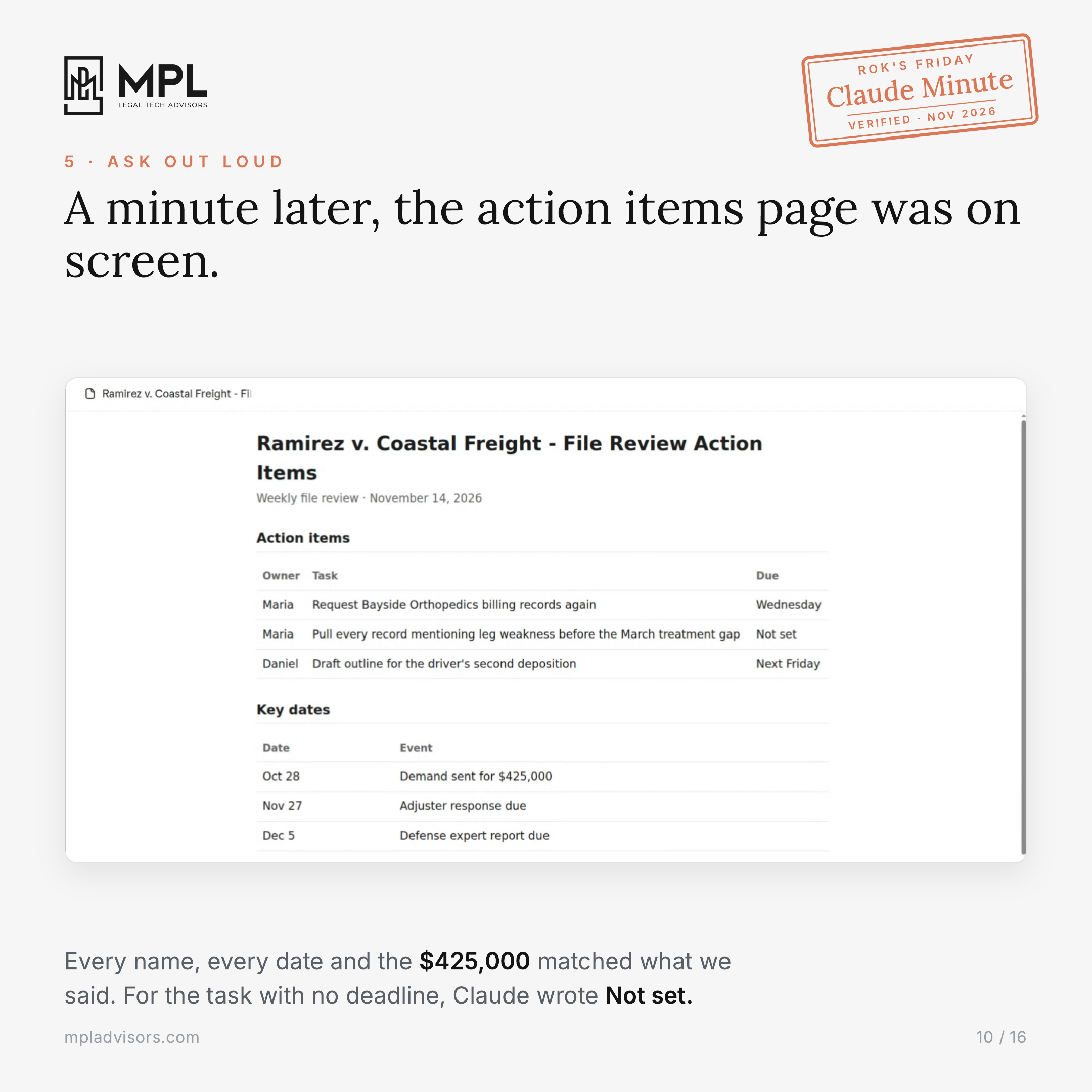
I read a weekly file review out loud in a Google Meet call, and a minute later Claude had the action items on screen, with every name, every date and the $425,000 demand right.
1. Claude joined the call and wrote the action items
Anthropic released Claude Meetings last week, so you can now add Claude to a Google Meet call like a colleague. To test it, I talked through a made-up trucking case: the demand, the missing billing records, 2 deadlines and who does what. Then I said, “Claude, start a doc with the action items from this file review.” Claude listed each task with its owner and its due date, and for the 1 task I gave no deadline for, it wrote “Not set”.
2. Your Claude owner decides on client calls
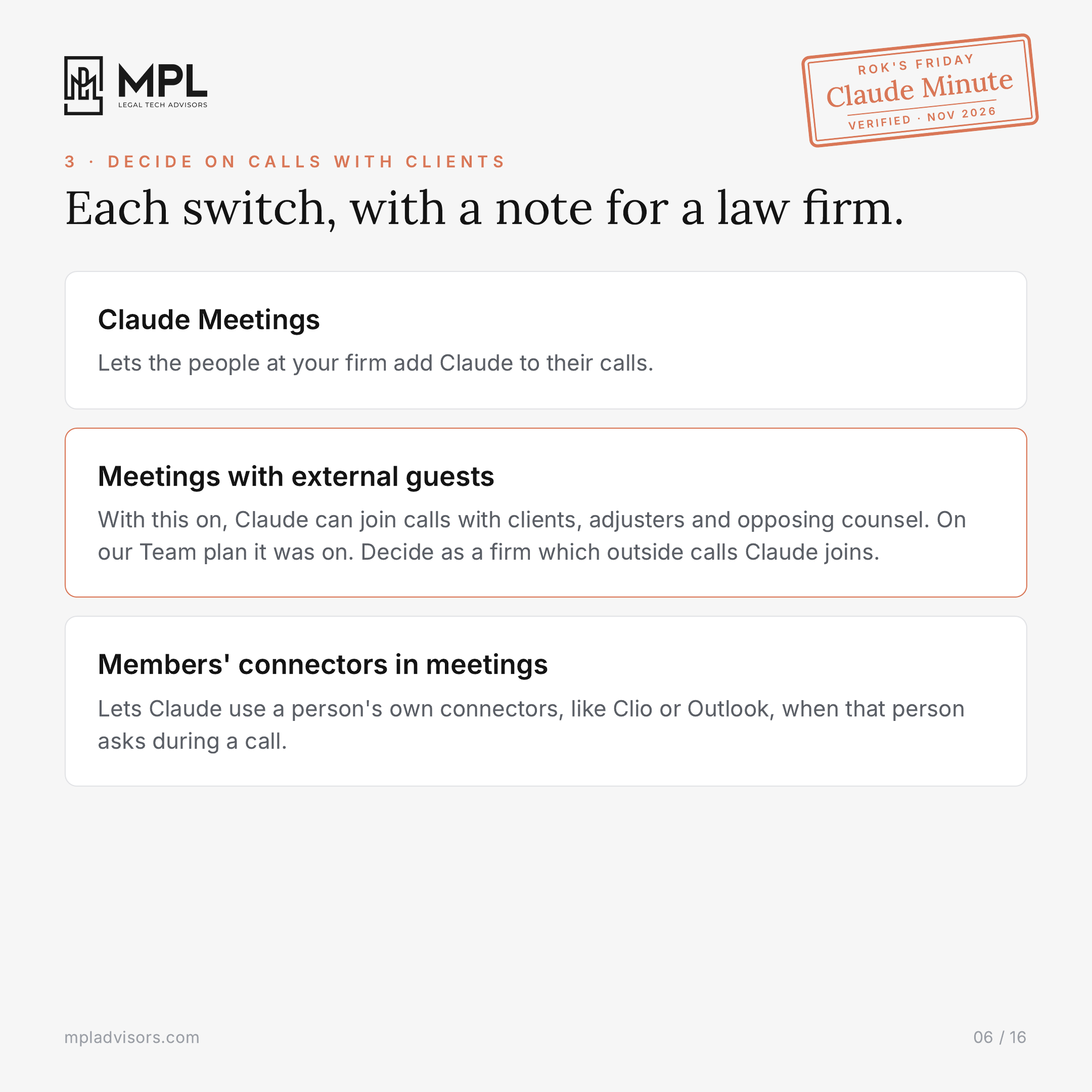
Ask your Claude owner to open Organization settings > Products > Claude Meetings, where they’ll find 3 switches. On our Team plan, Meetings with external guests was on, and with it on, Claude can join calls with clients, adjusters and opposing counsel. Decide as a firm which outside calls Claude joins, and tell everyone on a call that Claude is transcribing. Claude saves a transcript, a summary and screen descriptions, and it doesn’t save the audio.
3. Try it first on 3 internal meetings
Add Claude first to your weekly file review, your intake huddle and your Friday AI lunch. Claude sets Auto-join to all your meetings during setup, so change it to Meetings you organize, or switch it off and add Claude to each call yourself. Say “Claude” first and then what you need, or type it in the Meet chat. Open the meeting’s page in Claude after the call, and read the summary, the action items and the transcript before you rely on them.
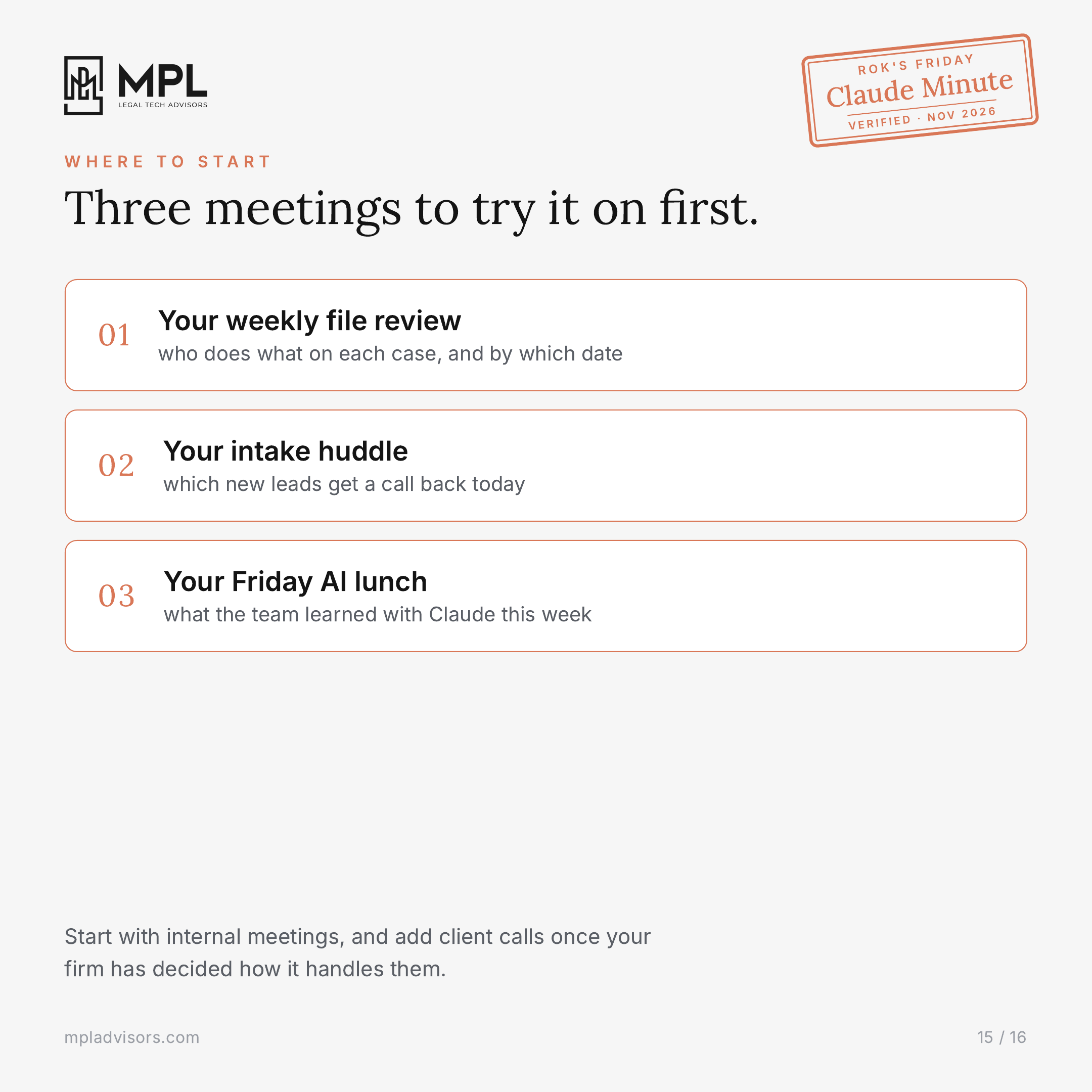
⬇️ Here is the full guide with every setting, a note for law firms on each one and the full file review example, a day before it goes out on LinkedIn. Forward it to whoever at your firm runs the weekly file review.
Rok’s Claude Friday Minute - Claude Meetings.pdf
Legal AI in Action
An Oversubscribed Morning in London
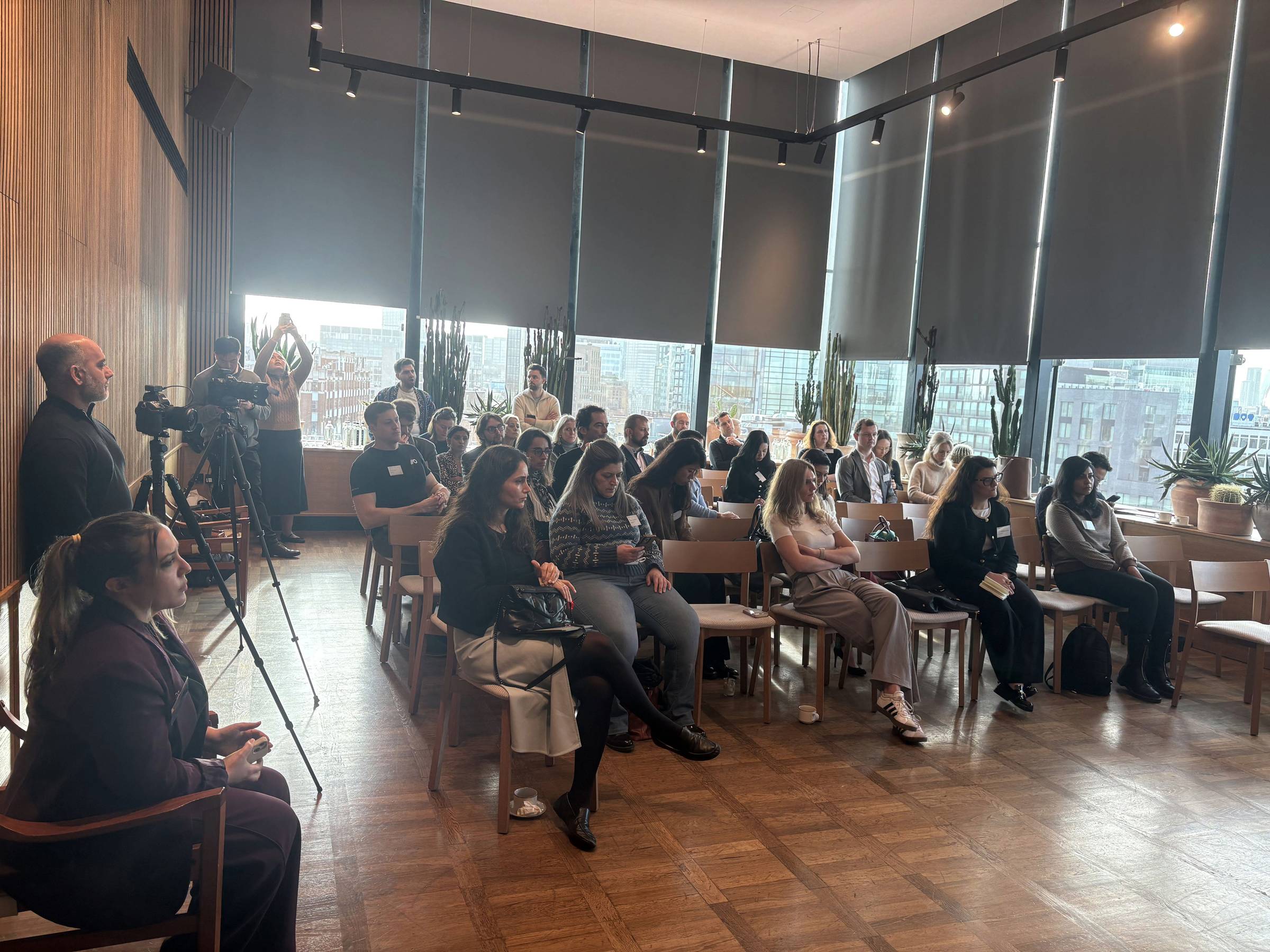
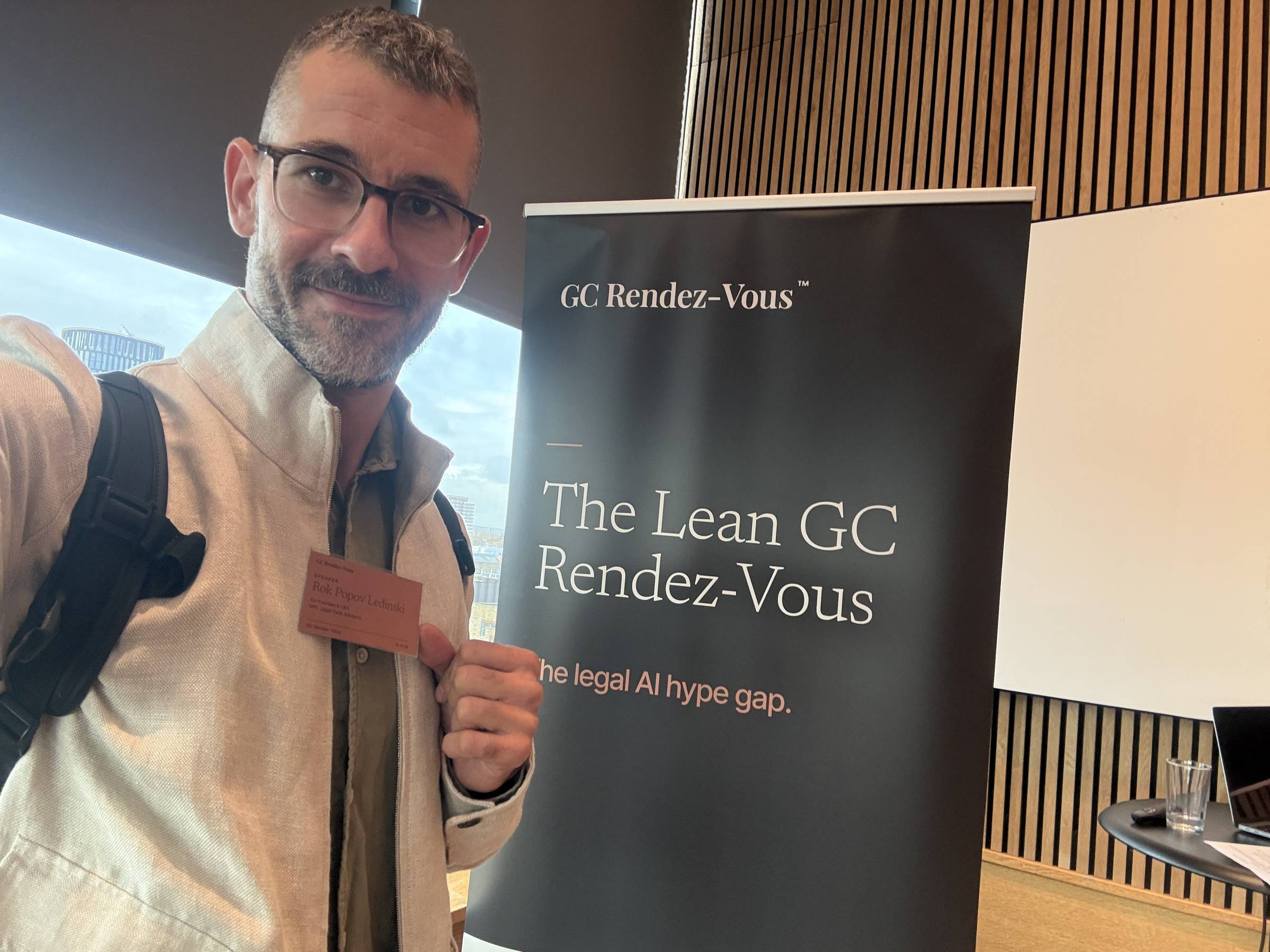
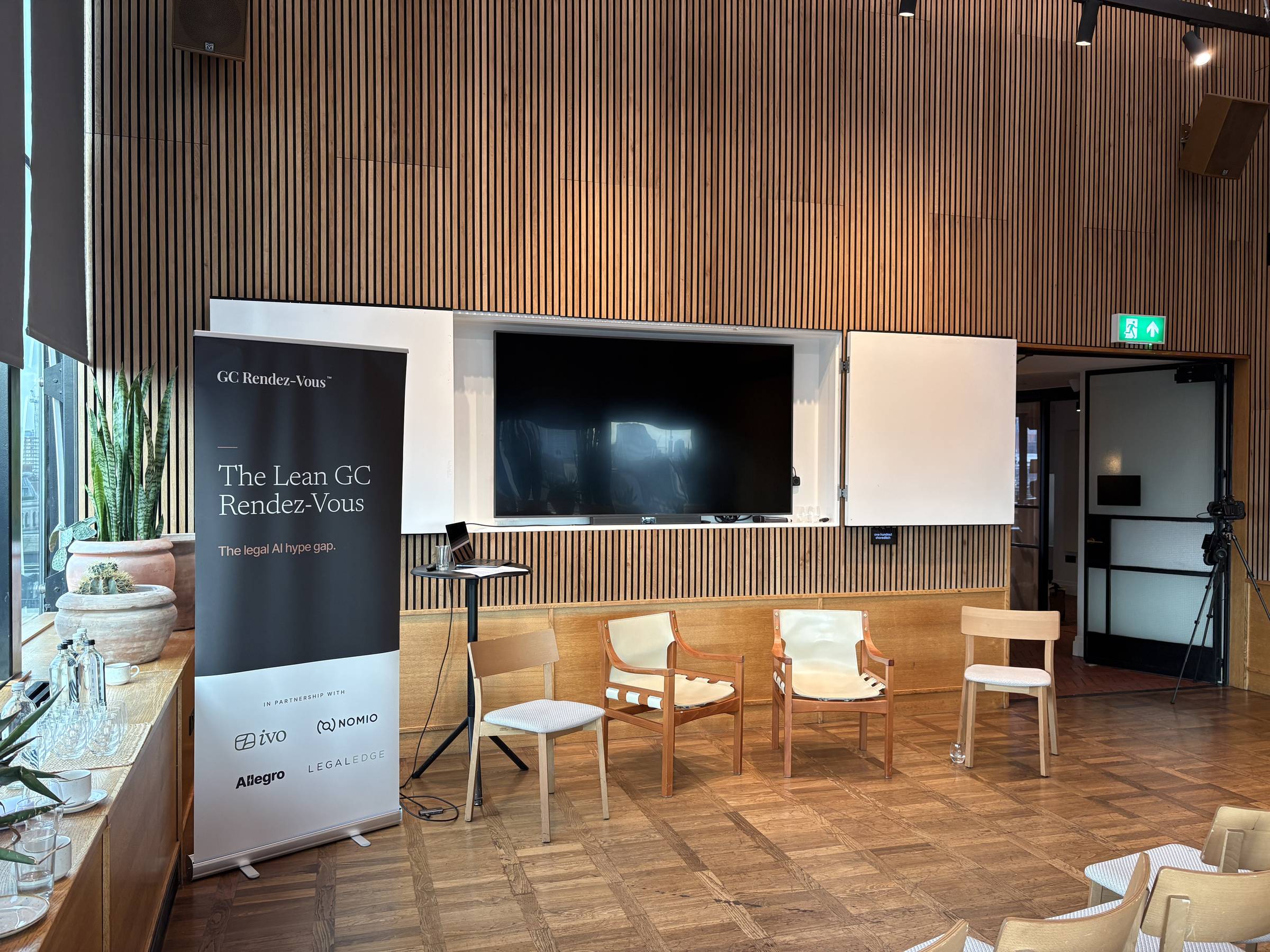
I spent this morning speaking at the oversubscribed Lean GC Rendez-Vous in London, hosted by Sarah Ouis, Claudia Bass and the GC Rendez-Vous team. My session was about building the foundations of an AI-enabled legal function, using a two-lawyer legal team to show how Claude can take over the routine work of sorting incoming legal requests.
I asked everyone where their team sits on my four-rung Claude ladder. Only a minority were at Ask, using individual chats. Most placed themselves at Craft or Connect, already using Projects, Skills and Connectors. What I enjoyed most were the questions throughout the session and the conversations afterwards, when people came up to discuss how they could apply the examples to their own teams.
I’ve put together a practical resource with the prompts, examples and step-by-step instructions, including how to set up a scheduled morning legal triage in Claude. You can find it on the GC Rendez-Vous event page.
If you would like to run a practical session like this with your team, just reply to this email. I would be happy to discuss what would be most useful for your firm.
🎬 19 Claude Updates, Sorted for a PI Firm
In the video I sort the 19 updates Anthropic released in the past 2 weeks into the 10 that matter to a personal injury firm and the 9 you can skip. I show them on an example of a firm with 15 open cases: Claude joins a video call and writes the notes and the action items per case, builds the case list as a spreadsheet, turns it into a dashboard for the managing partner, and draws the intake process on a whiteboard, where it finds a handoff nobody owns. You’ll also see why your firm pays extra each time someone picks Fable 5.2, and which updates your team can start with this week.
🎙 The Data Doesn’t Lie
Antoine Louis is the co-founder of Lawve, an open hub where lawyers and in-house counsel share the skills they build for AI, now with more than 450 resources. He holds a PhD in AI from Maastricht University, and his team also builds AI systems inside law firms from the firms’ own documents.
We talked about why Antoine builds a firm’s workflows from its own documents, like a contract a lawyer redlined and commented on, and what interviews with staff leave out. He also explains how 10 to 30 examples of 1 task give a firm its own test, so it can score every new model on its own work, and how a firm keeps its skills in a place it can take along to another AI provider.
🎙 Next Tuesday at 11am PDT/ 2pm EDT / 6pm CET
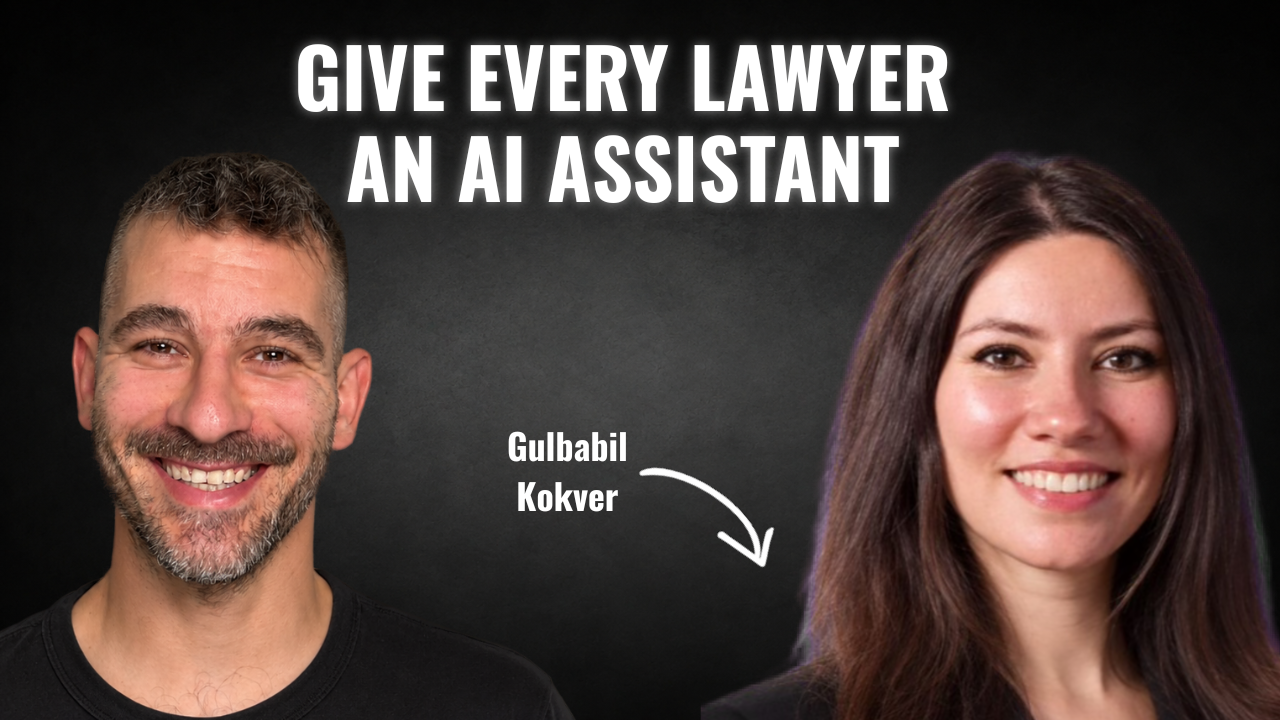
Next week’s guest on Rok’s Legal AI Conversations is Gulbabil Kokver, a California attorney at Oguz Law in the Bay Area, where she works with founders and startups and drives the firm’s AI initiative. Her firm used Harvey for a year, cancelled it, and now has 53 people on Claude.
In our conversation, she explains why her firm made that switch, and how she rolls out skills to all 53: she tests each skill at least 3 times before anyone uses it, and collects what people had to correct with a prompt they paste at the end of a chat. We also get into the one-on-one calls where she watches how colleagues prompt, and her advice to give Claude your most difficult task.
Each edition of Legal AI Brief brings practical lessons from the frontlines of legal AI by your editor, Rok Popov Ledinski.