
What’s Up With Claude?
A few weeks ago I wrote about the compliance gaps in Claude’s Cowork - no audit trail through Anthropic’s systems, client data stored unencrypted locally on laptops, and Anthropic themselves saying it shouldn’t be used for regulated workloads. That topic got more reactions than anything I’ve published, and the conversation since has split into two camps:
-
people who decided Cowork is off-limits for client work
-
people who said you can build a compliance layer around it
Meanwhile, we’ve been deploying Claude across several firms over the past few weeks, from smaller practices to a 300+ person firm with PHI obligations, and I can now tell you what that compliance layer actually looks like. And the version for small- and mid-sized firms is a lot more straightforward than people might think.
What You Can and Can’t Do
There’s one hard boundary, and it’s about protected health information - patient records, medical details, anything covered under HIPAA. If a vendor product is going to touch that kind of data, the vendor has to sign a Business Associate Agreement, which is basically their contractual commitment that they’ll handle that data to HIPAA standards. Cowork is a research preview and Anthropic has explicitly excluded it from their BAA. So there’s no contractual commitment from Anthropic to protect PHI that passes through Cowork. That’s not a controls problem you can engineer around - if the vendor won’t sign for it, you can’t put that type of data through it.
But most law firms are handling “basic” PII, such as client names, financial details, matter content, not PHI. For PII, there’s no BAA requirement. Your obligation is professional: your bar rules say you need to supervise AI tools used on client matters and be able to account for how client data was handled. If you can demonstrate that supervision, you can use Cowork on client work.
The question now becomes how do you set up the supervision.
The Problem You’re Solving
Cowork’s actions aren’t captured by Anthropic’s Compliance API, audit logs, or data exports. When Cowork searches through your files, pulls information from a connected system, or drafts something using client data, that activity doesn’t show up anywhere in auditing systems.
For a lawyer, that means if your bar asks how you supervised the AI that touched a client file, you can’t point to Anthropic’s logs. There aren’t any. You need to build your own.
The good news is that there’s a way to do this, it’s just not turned on by default, and nobody is talking about it online.
How to Build the Audit Trail
Cowork supports OpenTelemetry export. It’s a toggle in your Cowork admin settings under Organization. When you turn it on, Cowork starts exporting telemetry data: full prompt content, which user sent it, what tools were used, what decisions the AI made, and cost data. That’s your audit trail.
The part that trips people up is: where does that data go? On the enterprise side, firms route it into Azure Monitor or a SIEM. But you don’t need that.
For a firm with 20 to 80 people, a realistic setup looks like this: you deploy a lightweight OpenTelemetry Collector, which is open source, runs on a single machine or a small cloud instance and point your Cowork admin configuration to it. The collector receives the telemetry and writes it to wherever you want. That can be an Azure Log Analytics workspace if you’re already on Microsoft 365 and have basic Azure access (the cost would be a few dollars a month). It can even be a structured log file on a server your firm controls.
The point is that once that pipeline exists, every Cowork interaction across your firm is logged, searchable, and attributable to a specific user. If your bar asks how you supervised your firm’s use of AI on client work, you can pull the records. That’s what makes it defensible.
Setting this up is a one-time configuration and it can be done in a matter of days. It’s not enterprise infrastructure. It’s a pipeline.
Encrypting What Sits on the Laptop
Cowork stores all conversation history locally on each user’s device. That means client data from Cowork sessions is sitting on people’s laptops. If a laptop gets stolen or someone leaves the firm, that data goes with it unless you’ve planned for it.
If you’re on Microsoft 365 Business Premium, you already have Intune and you can enforce BitLocker (Windows) or FileVault (Mac) across all firm devices. That encrypts everything at rest, including the Cowork conversation history. If you don’t, turning it on is straightforward and I warmly advise doing so.
The part people miss is employee offboarding. When someone leaves, revoking their Anthropic account doesn’t touch the conversations stored on their machine. You need to add the Cowork local storage path to your standard device wipe procedure. It’s one line in your offboarding checklist, but if it’s not there, client data walks out the door with the laptop.
The Three Claude Products Are Not the Same
One thing that keeps catching firms off guard is that Claude Chat, Cowork, and Code are not the same product from a compliance standpoint.
Claude Chat on an Enterprise or Team plan is covered under the BAA, has audit events flowing through the Compliance API, and supports custom data retention. That’s your safest option for client work, and the one where Anthropic has done the compliance work for you.
Cowork is what we’ve been discussing - usable for client work if you build the supervision layer, but not covered under BAA so PHI stays off it.
Claude Code is its own thing. Only the CLI version is BAA-eligible, and only after you qualify for Zero Data Retention with Anthropic. The Desktop app and the Chrome extension are not covered. If anyone at your firm is using Claude Code, they need to be on the CLI version and your plan needs ZDR enabled. Most firms I talk to don’t know this.
The Piece That Ties It All Together
The controls I described - OTel pipeline, device encryption, offboarding procedure - only become defensible when there’s a documented usage policy wrapping them. The policy doesn’t need to be complicated. It needs to say: here’s which Claude products we use for what, here’s what kind of data can go through each one, here’s how we supervise it, here’s what happens when someone leaves.
The thing that makes a compliance position defensible is not having perfect controls. It’s being able to show you evaluated the risks, made a reasoned choice, and documented both. For a 30-100 person firm, the architecture I just described - OTel to a log destination, encrypted managed devices, an offboarding step, and a usage policy, is a proportionate and defensible setup. It’s not what a 300-person firm with PHI needs, but it’s not supposed to be.
We’ve been mapping this out across different firm sizes and finding that the compliance surface is the same everywhere. The bar obligations don’t scale down because your firm is smaller. What scales down is the infrastructure complexity. For a firm of smaller size, the whole thing can be stood up in a week.
Legal AI in Action
🎬 AI Training on Your Data is Noise. Here’s What’s Not.
What actually happens to your data inside AI systems, where enterprise agreements protect you, and the vendor evaluation questions most firms never get to after hearing “we don’t train on your data”.
🎙 The Reason Some Firms Move Faster on AI
Anastasia Boyk has worked across big law, legal tech, ALSPs, and legal education including Yale Law School. We talk about why getting clear on your firm’s purpose unlocks better AI decisions, how mid-sized firms are uniquely positioned to move fast, and why the firms treating this as a people and operating system question are pulling ahead of the ones still shopping for tools.
🎙 Next Tuesday at 2pm CET!
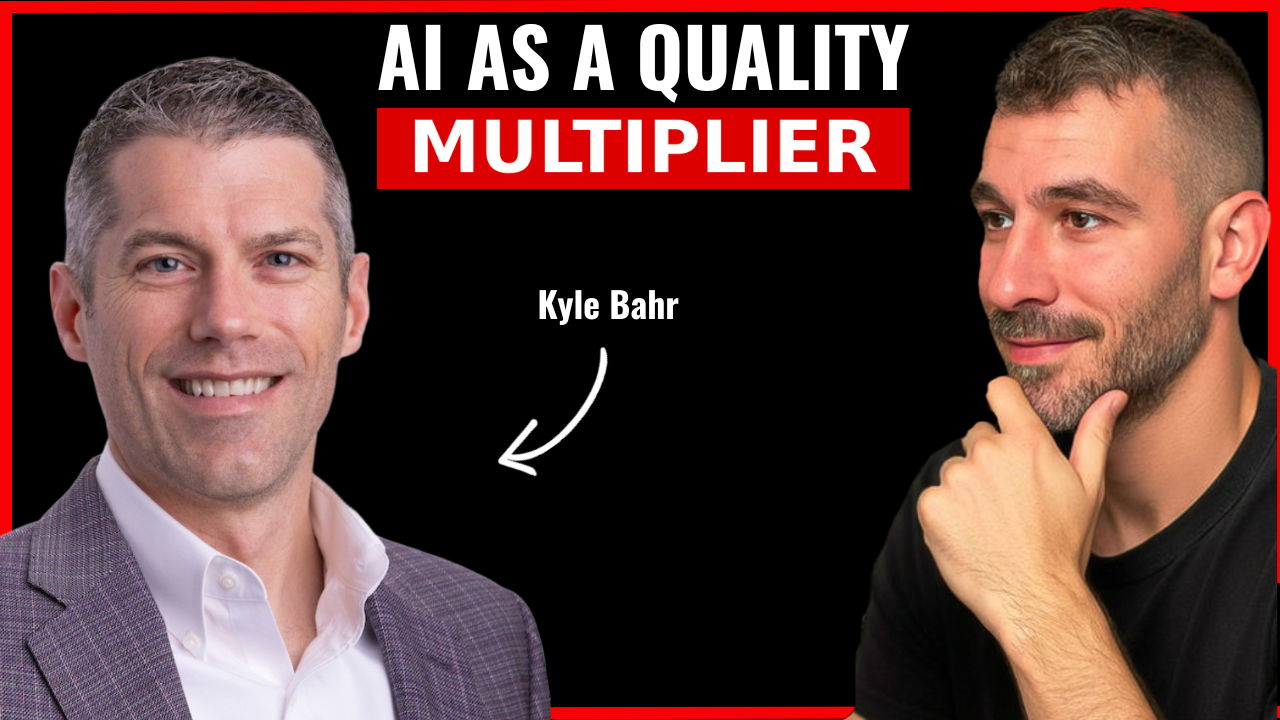
Next week’s guest on Rok’s Legal AI Conversations is Kyle Bahr, AI Innovation Manager at Cleary Gottlieb and a lawyer who’s been in the legal industry since 2003. From litigation to legal ops to now leading AI adoption at one of the world’s top global firms.
We talk about how the 1k hallucinated citations surpassed are mostly an access to justice story and not the AI horror story people think, where vibe coding genuinely helps lawyers and where you need to know when to stop, why thinking of AI as an efficiency play is setting firms up for failure, and what to think about instead.
Each edition of Legal AI Brief brings practical lessons from firms using AI safely.